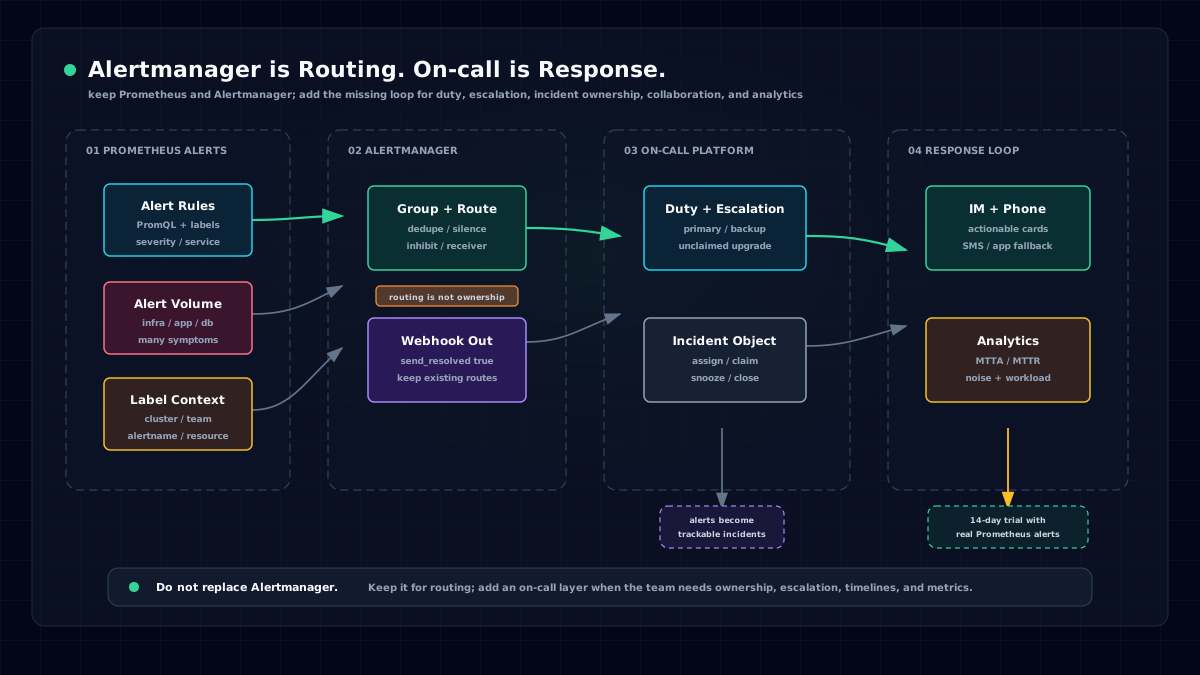

We have observed that most companies use more than one monitoring system. They may run one or more of Cacti, Zabbix, Prometheus, Open-Falcon, Nightingale, ElastAlert, and Grafana, while also using cloud monitoring products from Alibaba Cloud, which has CloudMonitor, Arms, and SLS, Tencent Cloud, Huawei Cloud, AWS, and others. This usually creates several pain points:
- Alert events are scattered everywhere and cannot be counted, analyzed, or collaborated on in one unified place.
- Monitoring systems focus on data collection, visualization, and alert generation, but pay less attention to what happens after an alert is generated. Capabilities such as alert grouping and escalation may be missing. Even when some monitoring systems provide them, they are closed-loop capabilities that cannot be shared with other monitoring systems.
- Personnel information is scattered across systems. Changing a phone number may require updates in multiple places.
- Integration with IM tools such as Feishu, DingTalk, and WeCom is weak. Teams cannot acknowledge or mute alerts directly in IM, and there may be no mobile app or H5 experience for mobile work.
- Event handling analytics are often missing, including event volume, phone and SMS cost, average acknowledgment or response time, average recovery time, and related statistics.
- Flexible scheduling is missing. To implement SRE practices, teams first need scheduling, so people who are not on duty can focus on long-term work without constant interruptions.
We understand these problems. From the first day of our startup, we planned this product and named it Flashduty. After a year of refinement, it is time to introduce it publicly. Below is our design thinking.
Multiple Event Sources
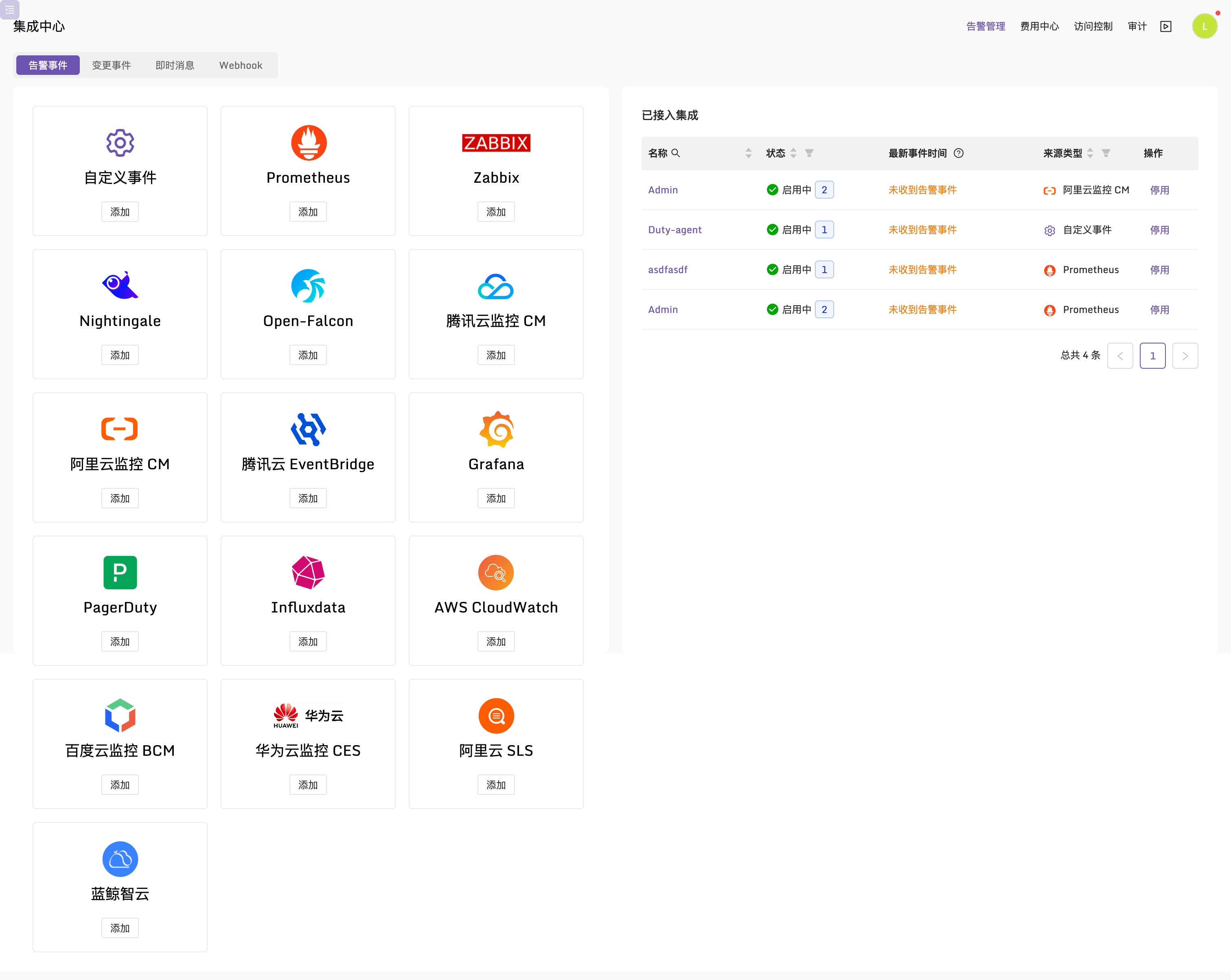
When alert events are scattered everywhere, the first step is to collect them in one center. Most monitoring systems provide webhook capabilities, so they can be integrated through webhooks. Flashduty currently supports common event sources, and you can also push events directly through the custom event API.
Subscription and Grouping
Once many systems are connected, events become diverse and messy if they are all mixed together. Subscription rules can group different events into different workspaces. For example, cloud platform alerts can be routed to the cloud platform workspace and handled by the relevant development and operations teams. Payment platform alerts can be routed to the payment platform workspace. Alerts for each team can be handled in a similar way.
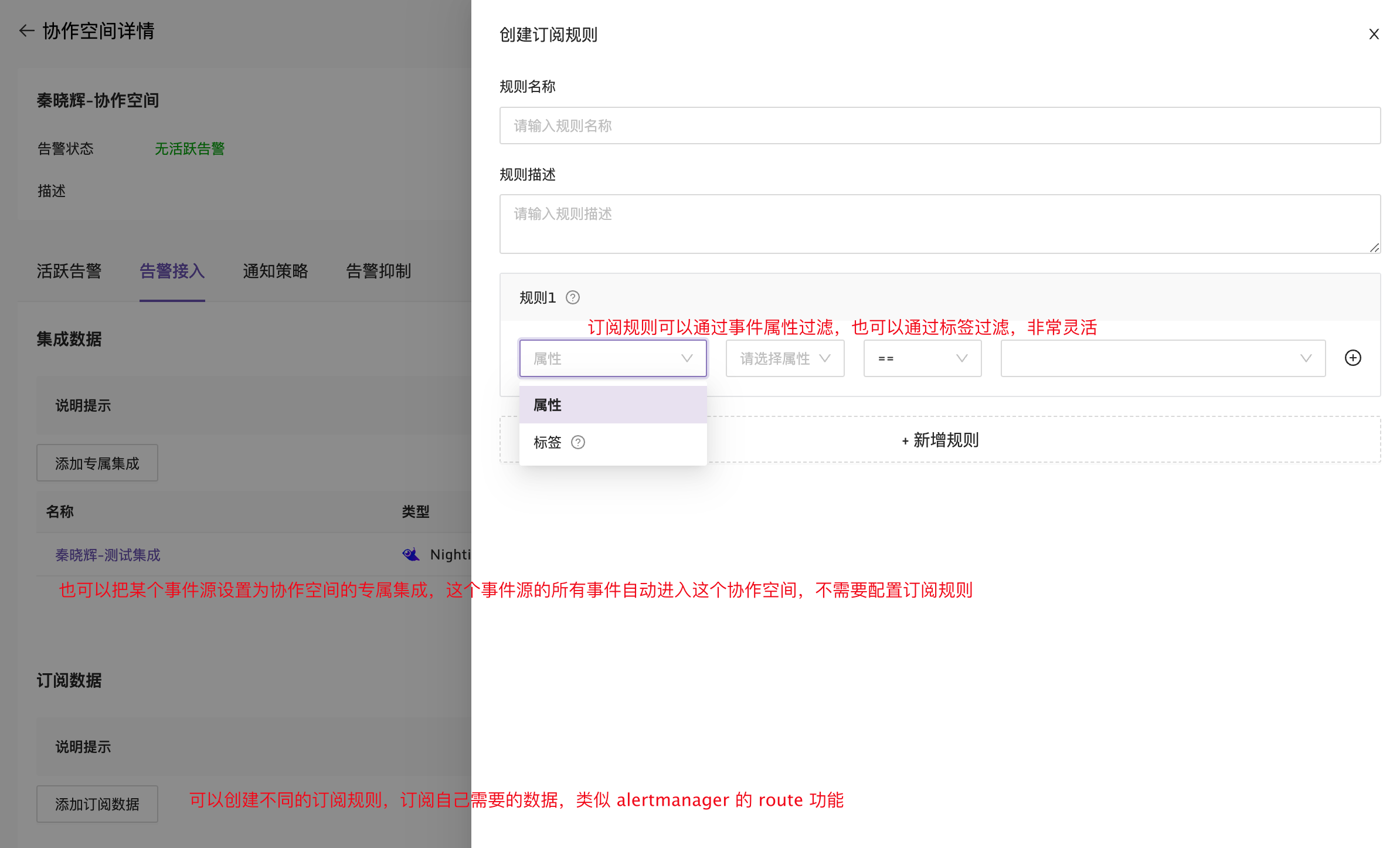
You can also create a dedicated integration for a workspace so certain incoming events enter that workspace directly without subscription rules. For details on the difference between the two routing methods, see Flashduty Workspace Design Logic and Routing Logic.
Flexible Notification Policies
Different alerts can use different notification policies. For example, high-severity alerts can use phone calls, while low-severity alerts can use only email and IM notifications:
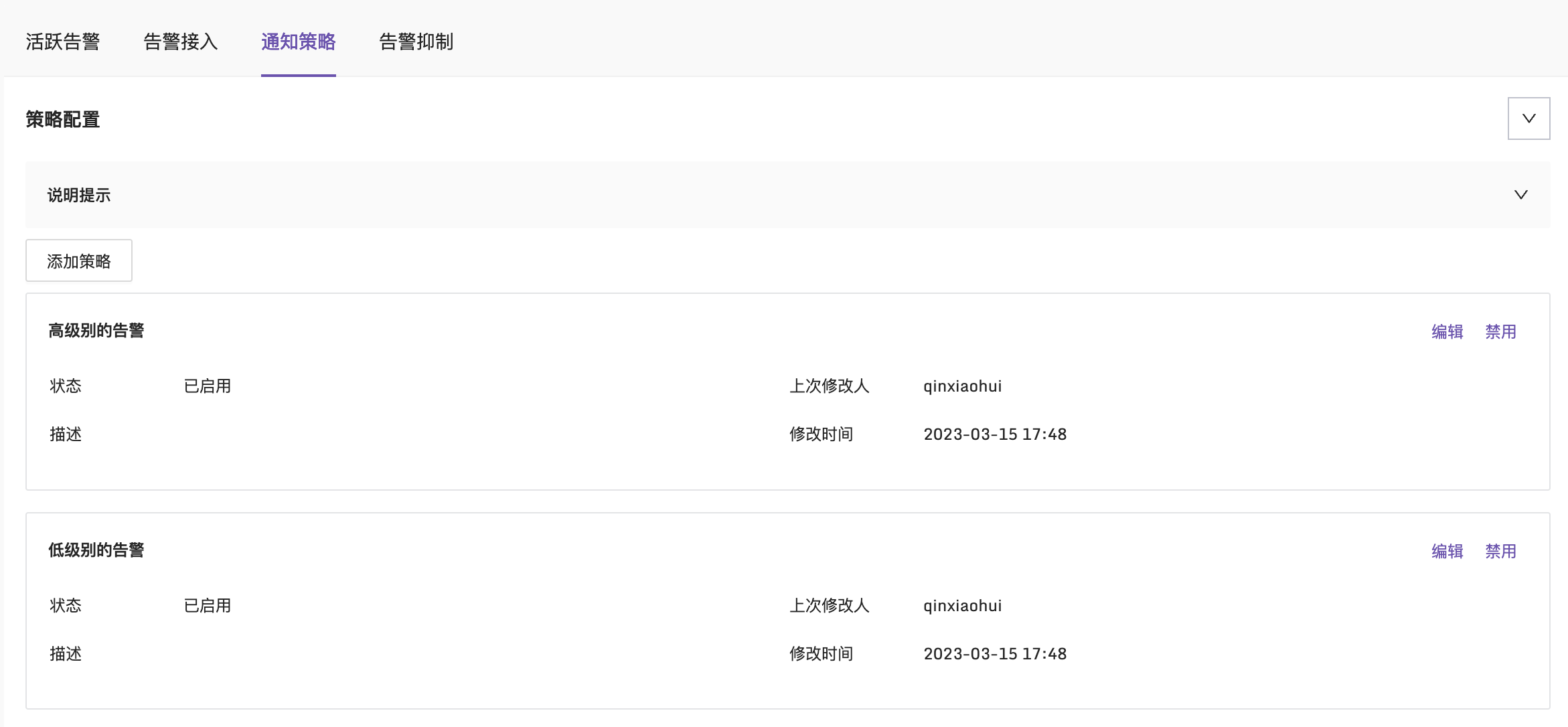
Open one notification policy to see the supported configuration options:
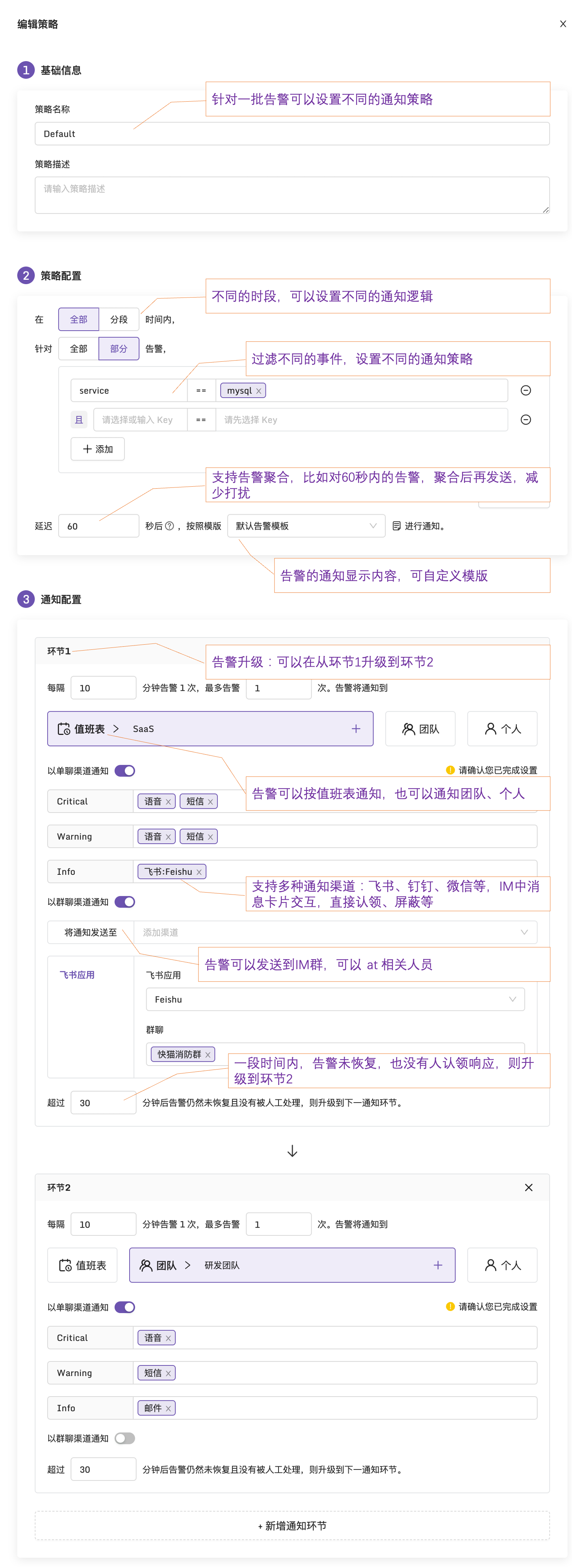
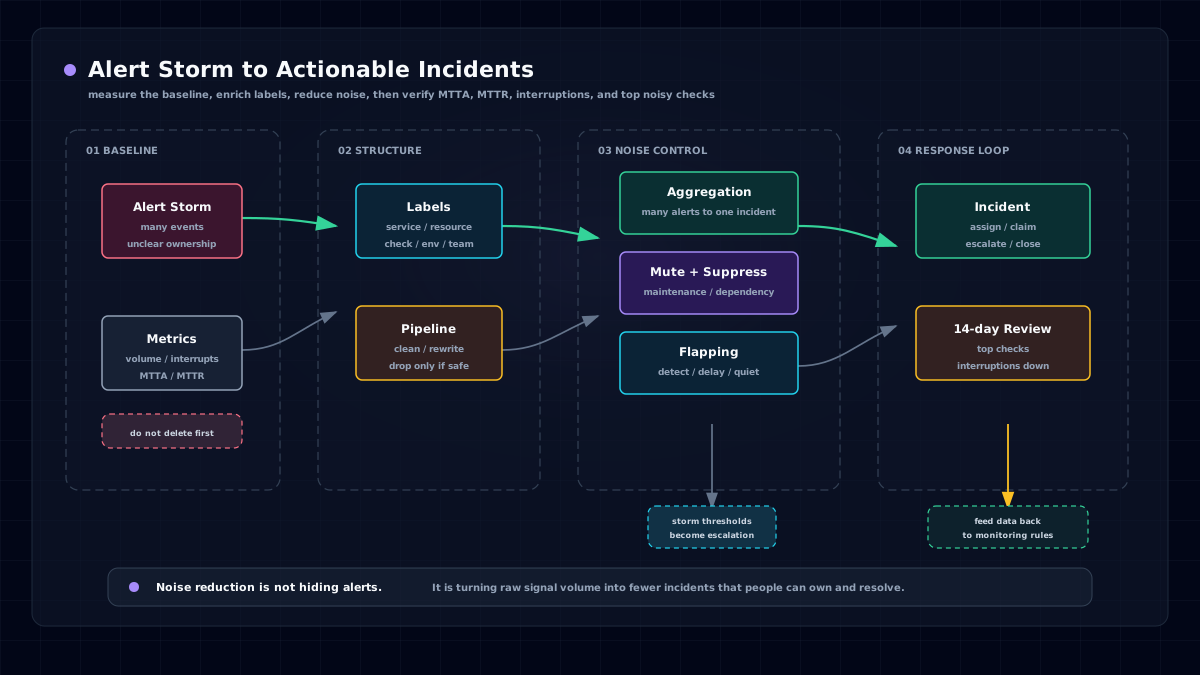
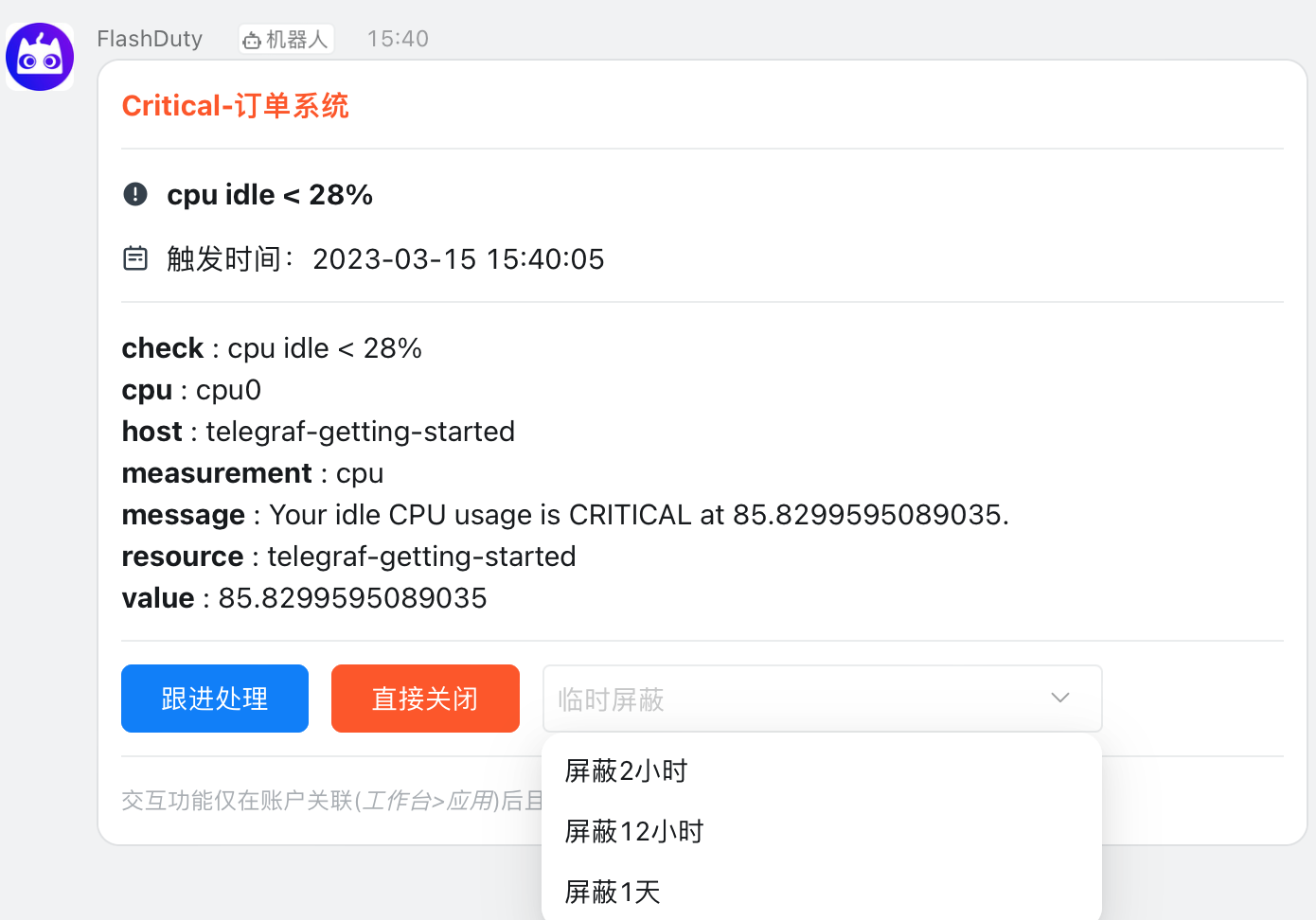
Different time periods and event types can use different delivery strategies. Flashduty supports aggregation windows for alert grouping to reduce interruptions, schedules so alerts go only to the person on duty, and team-wide notifications when needed. It supports DingTalk, Feishu, and WeCom, including bot-based sending and app-based sending. App-based notifications support card views, where alerts can be acknowledged or muted directly from the card. This creates a smooth handling experience.
If an alert is not responded to for a long time and has not recovered, the escalation mechanism can notify a leader or backup responder to close the loop. Flashduty also supports configurable notification templates with customized displayed content.
Alert Muting
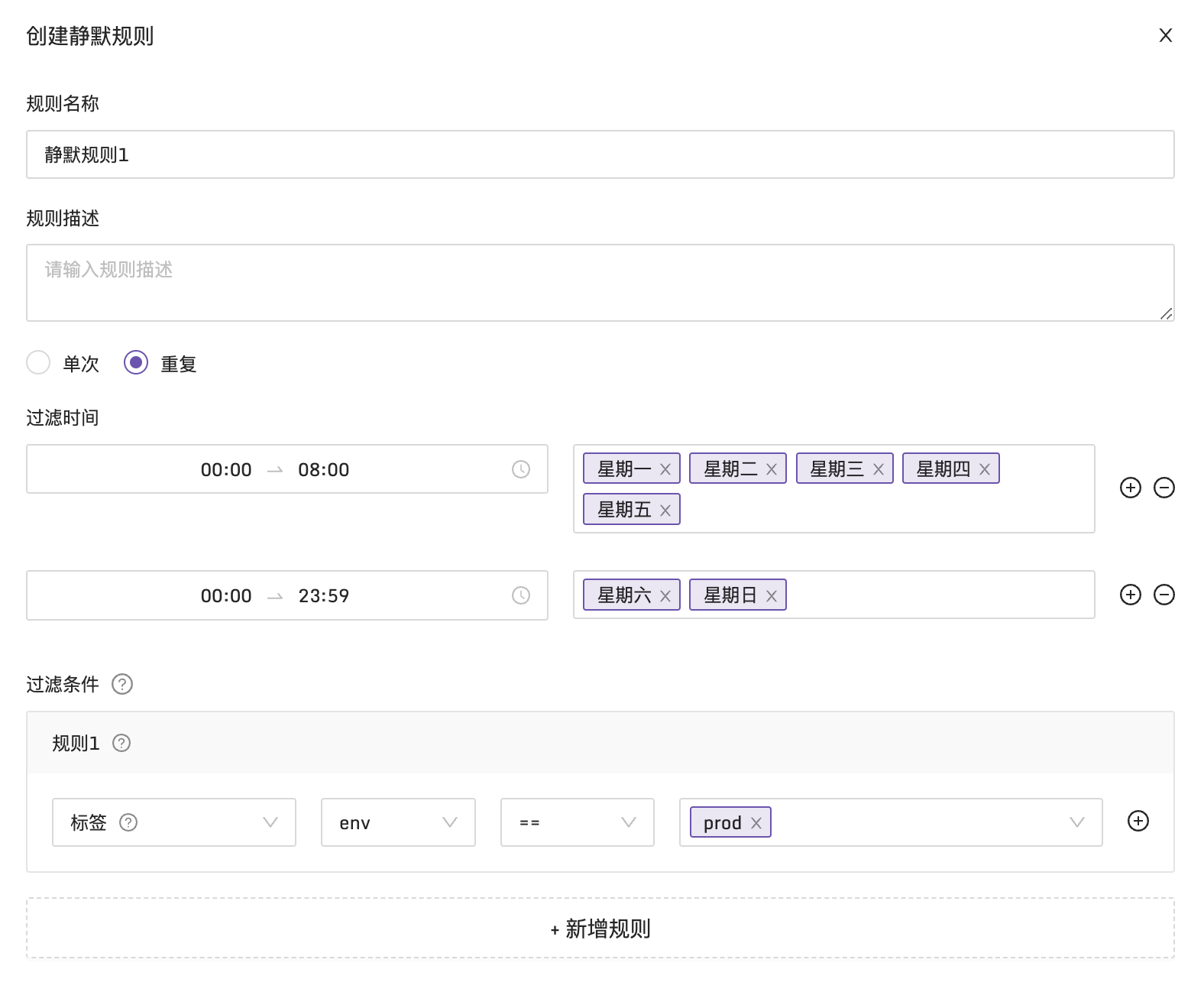
You can flexibly filter events that should be muted, including recurring muting and time-window muting. For example, if you want to mute weekday evenings and the entire weekend, you can configure it like this:
Alert Suppression
Flashduty supports suppression capabilities similar to Alertmanager. A typical scenario is suppressing lower-severity alerts when higher-severity alerts are active. If this is handled inside a monitoring system, it can only suppress events from that monitoring system. Flashduty can suppress alerts across systems, making it more powerful.
Alert Grouping View
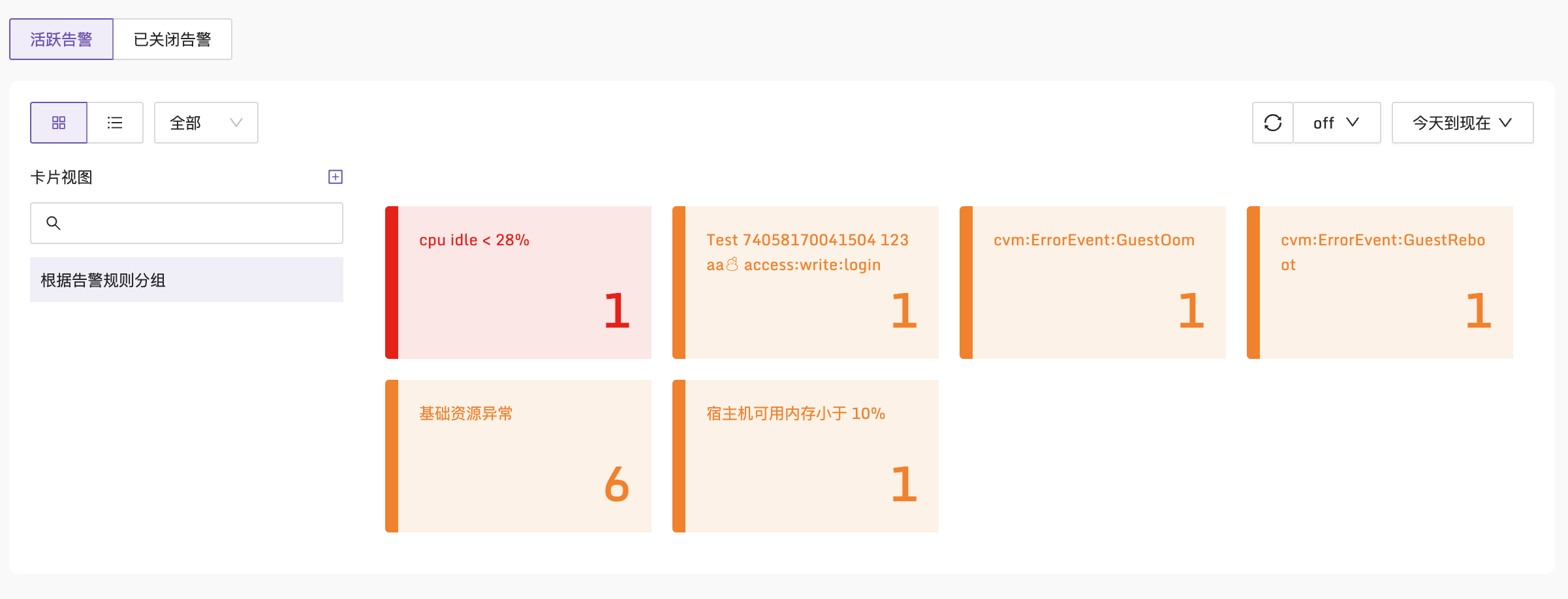
Nightingale provides an alert grouping view that makes it easy to see alert counts across different dimensions. We brought this capability into Flashduty, so all monitoring systems can benefit from it.
Incident-Based Collaboration
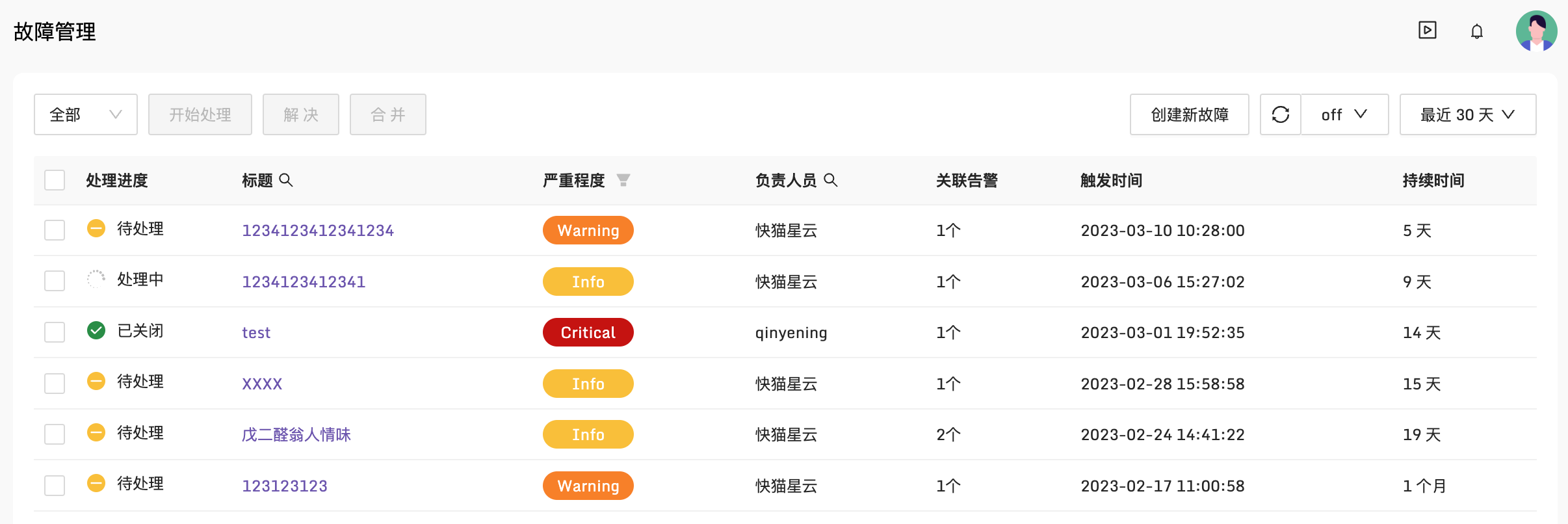
Sometimes, after investigating an alert event, a team discovers that the real problem is a dependent database or an underlying network issue. The team cannot solve it alone and needs cross-team collaboration. In that case, the alert can be promoted to an incident, and everyone can collaborate around the incident by adding comments, sharing investigation clues, and retaining information for future postmortems.
Flexible Schedules
Scheduling is essential for implementing SRE practices. A flexible schedule is a must. Flashduty supports daily duty, holiday duty, leave, temporary swaps, and more.

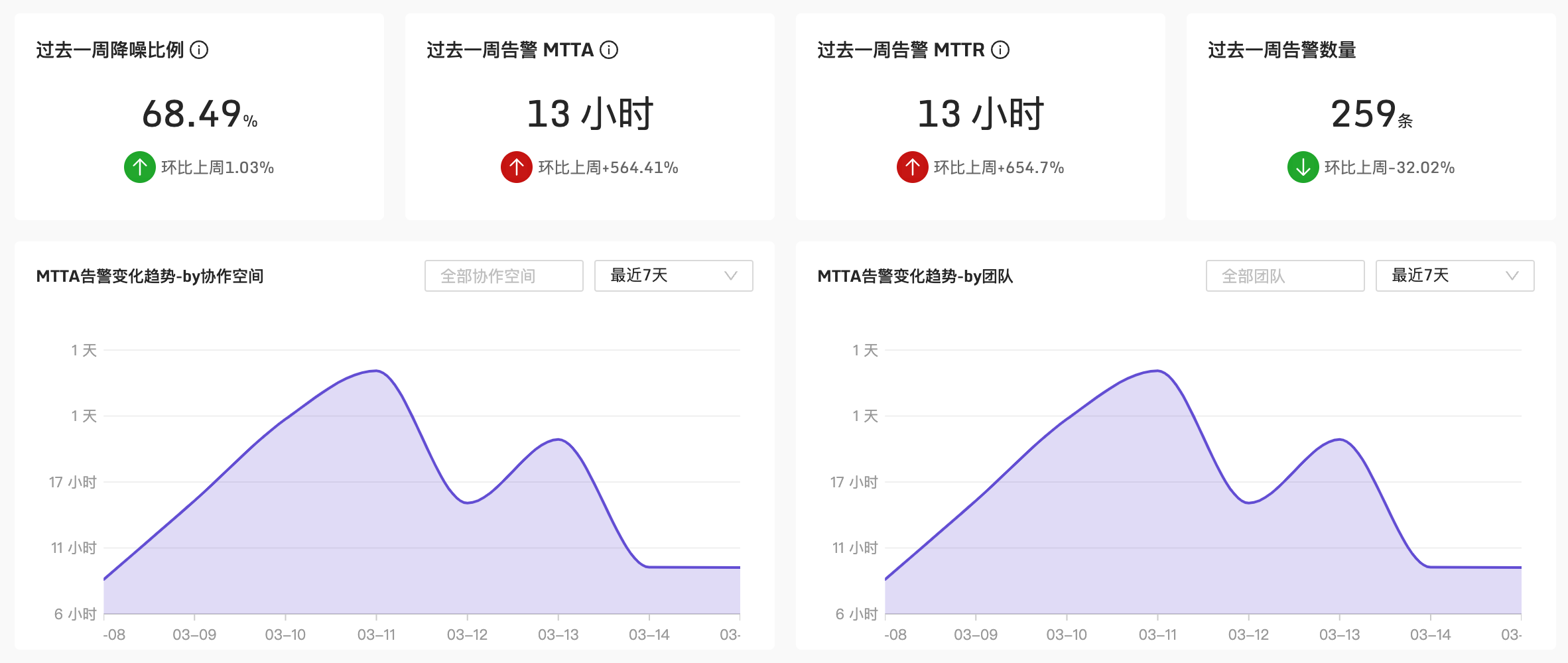
Analytics Dashboards
How effective is alert noise reduction? How timely is acknowledgment? How long do alerts usually take to recover? How do different teams perform? Did this week improve over last week? These analytics requirements all need support:
Does It Work for You?
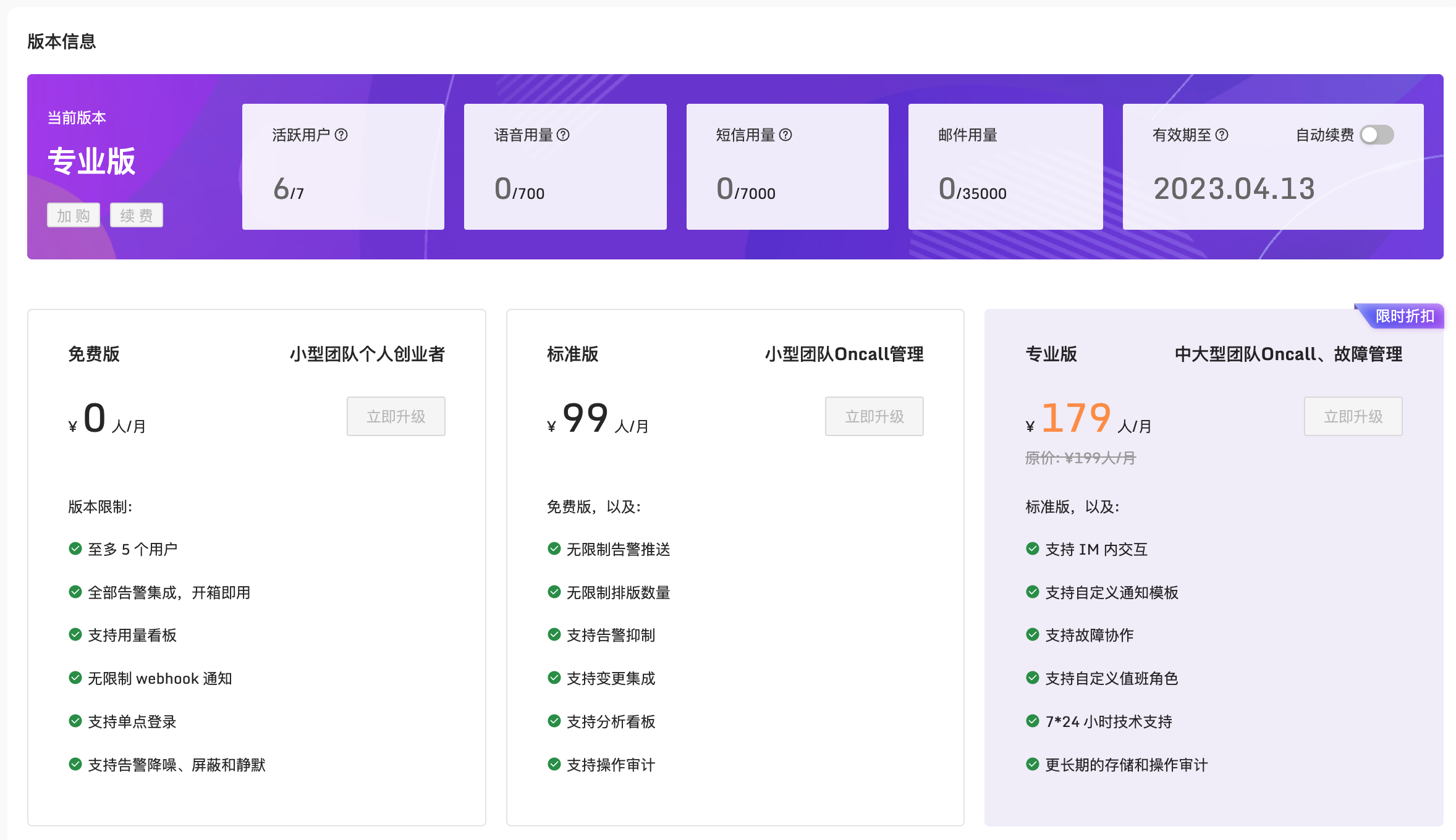
Interested in Flashduty? Try it here. We provide a free edition that covers everyday needs. We also provide a professional edition with all capabilities enabled. Choose the edition that fits your needs.
Video Introduction
The following 15-minute video provides a more detailed walkthrough to help you get started quickly. It is hosted on Bilibili and can be played at a higher speed.