
Starting from Nightingale v8 beta7, notification rules became a first-class concept. Teams can conveniently configure notification channels such as DingTalk, SMS, and phone calls. With generic HTTP and script notification methods, Nightingale can connect to almost any alert notification path.
Does that mean you no longer need Flashduty?
It depends.
- If all alerts in your company are generated and sent by Nightingale, and you do not have strong requirements for alert noise reduction, schedules, acknowledgement, or escalation, Nightingale alone may be enough.
- If your company has more than one monitoring system, such as Zabbix, Prometheus, and cloud monitoring in addition to Nightingale, Flashduty is a strong choice because it unifies alert handling across systems.
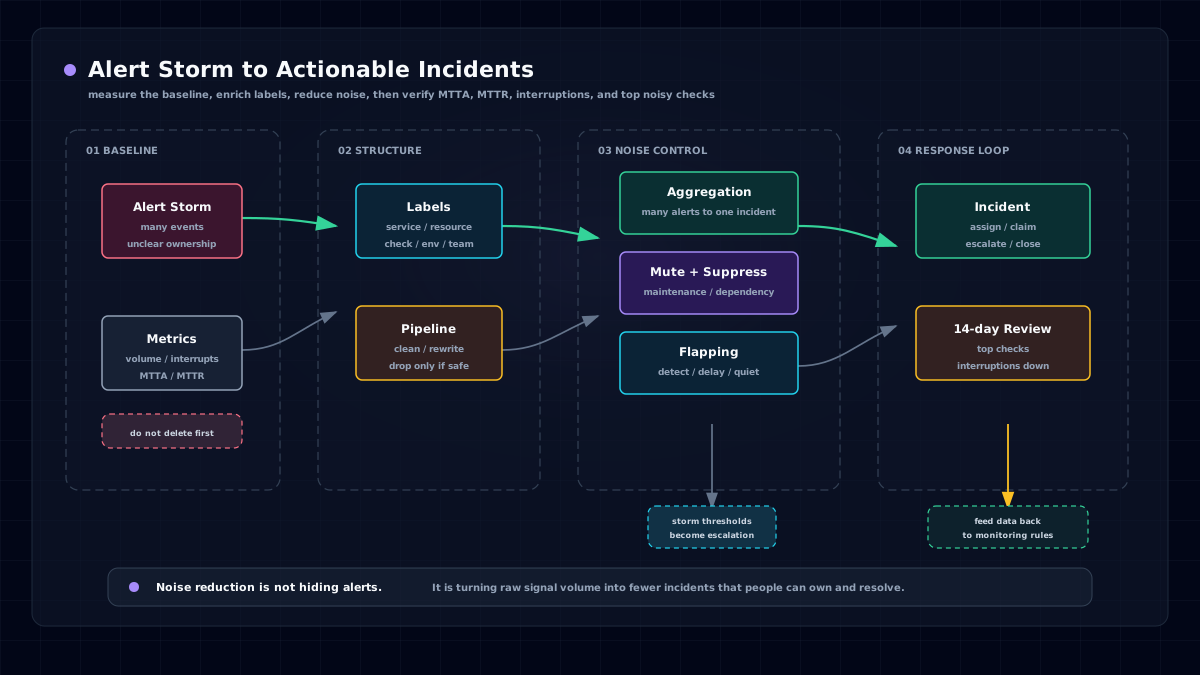
- If all alert rules are managed in Nightingale, but you still need strong noise reduction, scheduling, acknowledgement, and escalation, Flashduty is also a strong choice.
The core reason is that the two products have different positions:
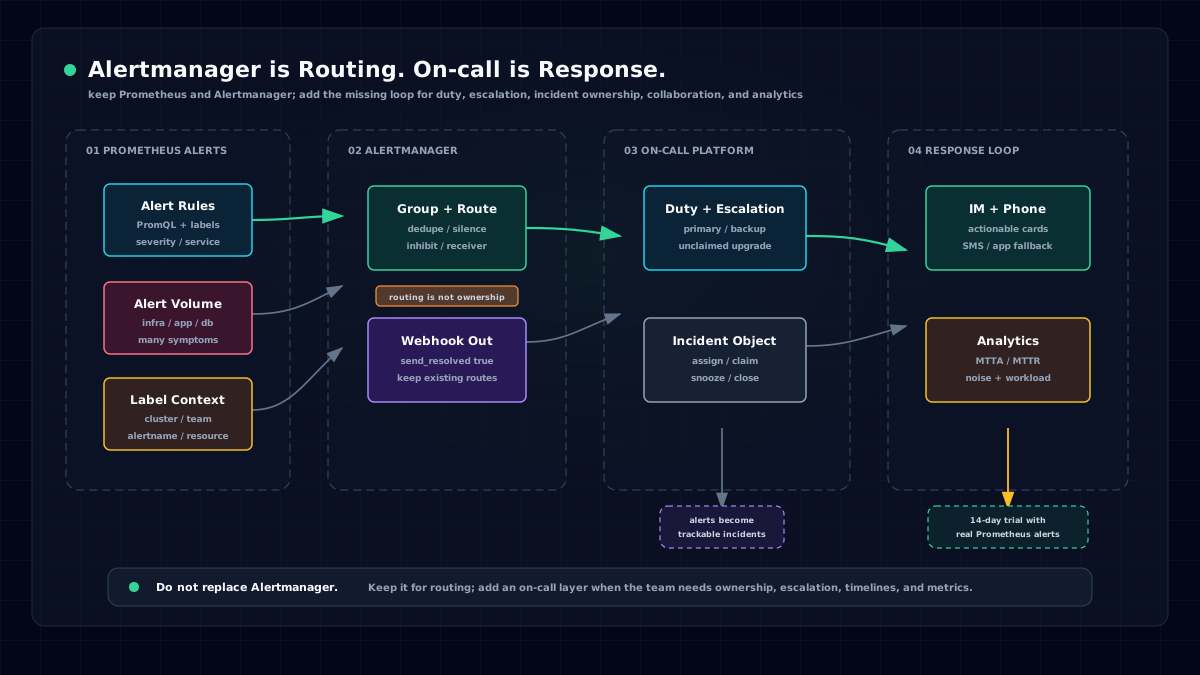
- Nightingale is a monitoring system. It focuses on data collection, storage, visualization, and alert generation. It is not as strong as Flashduty for what happens after an alert is generated.
- Flashduty focuses on post-alert response. Because companies often run many monitoring systems and those systems are usually not strong at downstream incident response, Flashduty exists to solve that problem.
In Nightingale community discussions, we have found that most medium and large companies use more than one monitoring system. They may run Zabbix, cloud monitoring, multiple cloud-monitoring products in multi-cloud environments, Prometheus, and Nightingale at the same time. Alert events become scattered. In that situation, Flashduty is a good choice for unifying all alerts into one handling platform.
Some commercial systems also bundle their own monitoring stack, such as OceanBase or TiDB, where each TiDB deployment often includes Prometheus and Grafana. Those products are designed to close their own functional loop, not to satisfy a company's desire for a unified alert platform. This makes alert events, dispatch rules, email contacts, and responder information even more scattered. If an operations director is asked which important alerts are currently unhandled, the answer can be hard to produce. Flashduty is designed for that gap.

Many companies want to unify monitoring. In conversations with teams such as Kuaishou, we have seen environments with more than 20 monitoring systems. Where should you start? Two entry points are relatively practical: unify visualization with Grafana, and unify alert distribution and response with a product like Flashduty. The image above shows monitoring systems Flashduty can integrate with; it is worth checking how many your company already uses.
Even cloud monitoring is often fragmented. Alibaba Cloud, for example, has multiple monitoring products such as basic resource monitoring, ARMS, and SLS. This is not unusual; different departments build different products, and every cloud provider has similar boundaries. As users, we usually cannot change a cloud vendor's product planning, but we can use Flashduty to unify alert events.
Flashduty product information and trial links:
- Product 👉 https://flashcat.cloud/product/flashduty/
- Trial 👉 https://console.flashcat.cloud/
Closing
The real operations revolution is not asking engineers to stay awake 24 hours a day. It is making the system stay alert for them.