
Uptime Kuma is an out-of-the-box, self-hosted monitoring tool. At the time of writing, it had become popular on GitHub Trending with 37k stars. It can monitor website availability and send notifications when a site is down. Uptime Kuma supports many notification methods, including Email, Slack, WeChat, DingTalk, Feishu, WeCom, Telegram, and Webhook. Starting from 1.23.0, Uptime Kuma supports Flashduty.
Flashduty is a SaaS-based alert management tool. It integrates with common alerting systems and helps organizations respond quickly through schedules, escalation, alert noise reduction, and incident collaboration.
1. Install Uptime Kuma
Install Uptime Kuma by following the official documentation:
docker run -d --restart=always -p 3001:3001 -v uptime-kuma:/app/data --name uptime-kuma louislam/uptime-kuma:12. Get the Integration URL
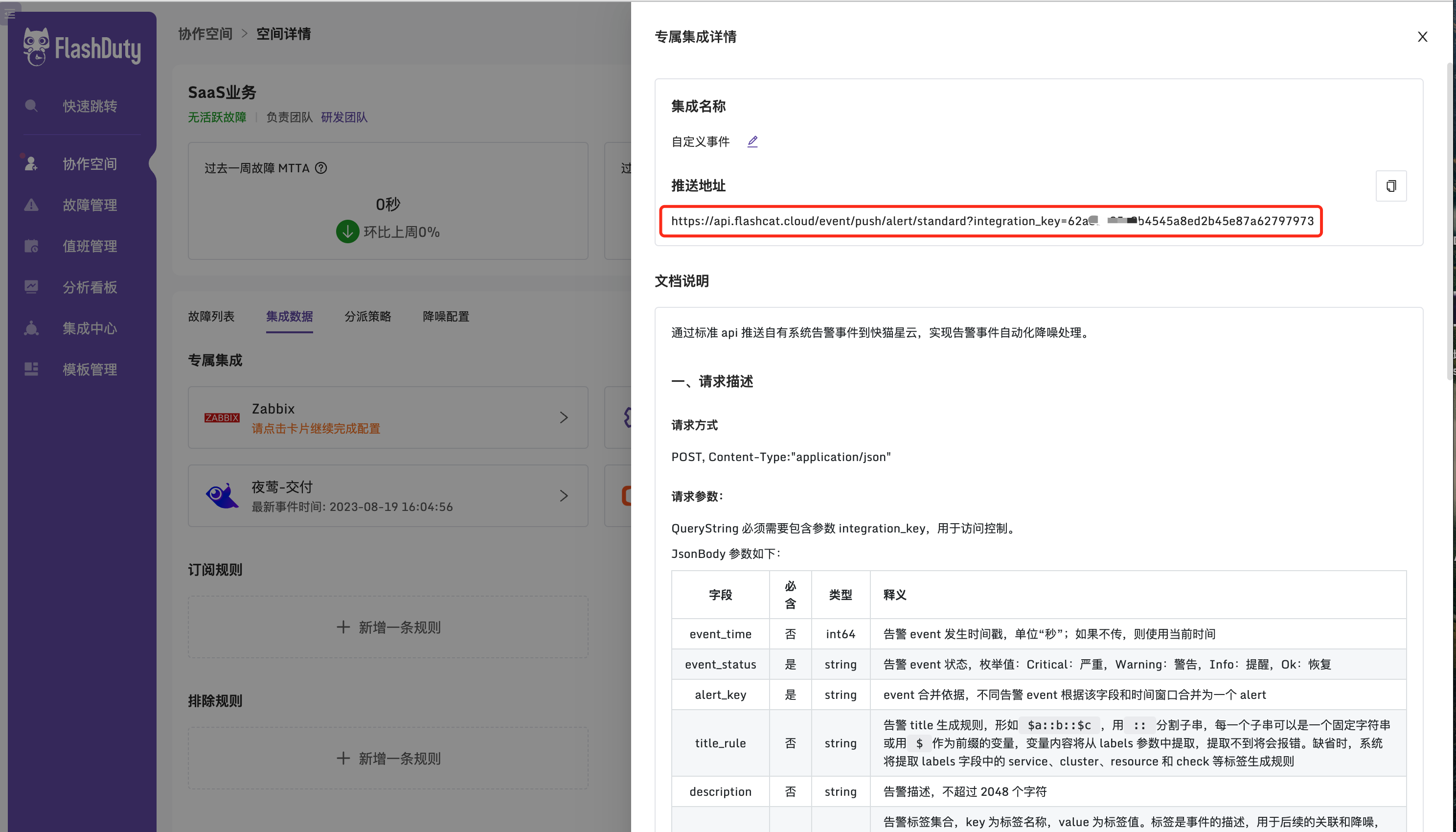
Get the integration URL with this path: Workspace -> Create workspace -> Integration data -> Add integration -> Custom integration -> Save.
3. Add a Monitor
Enter the service URL you want to monitor and configure the notification channel.
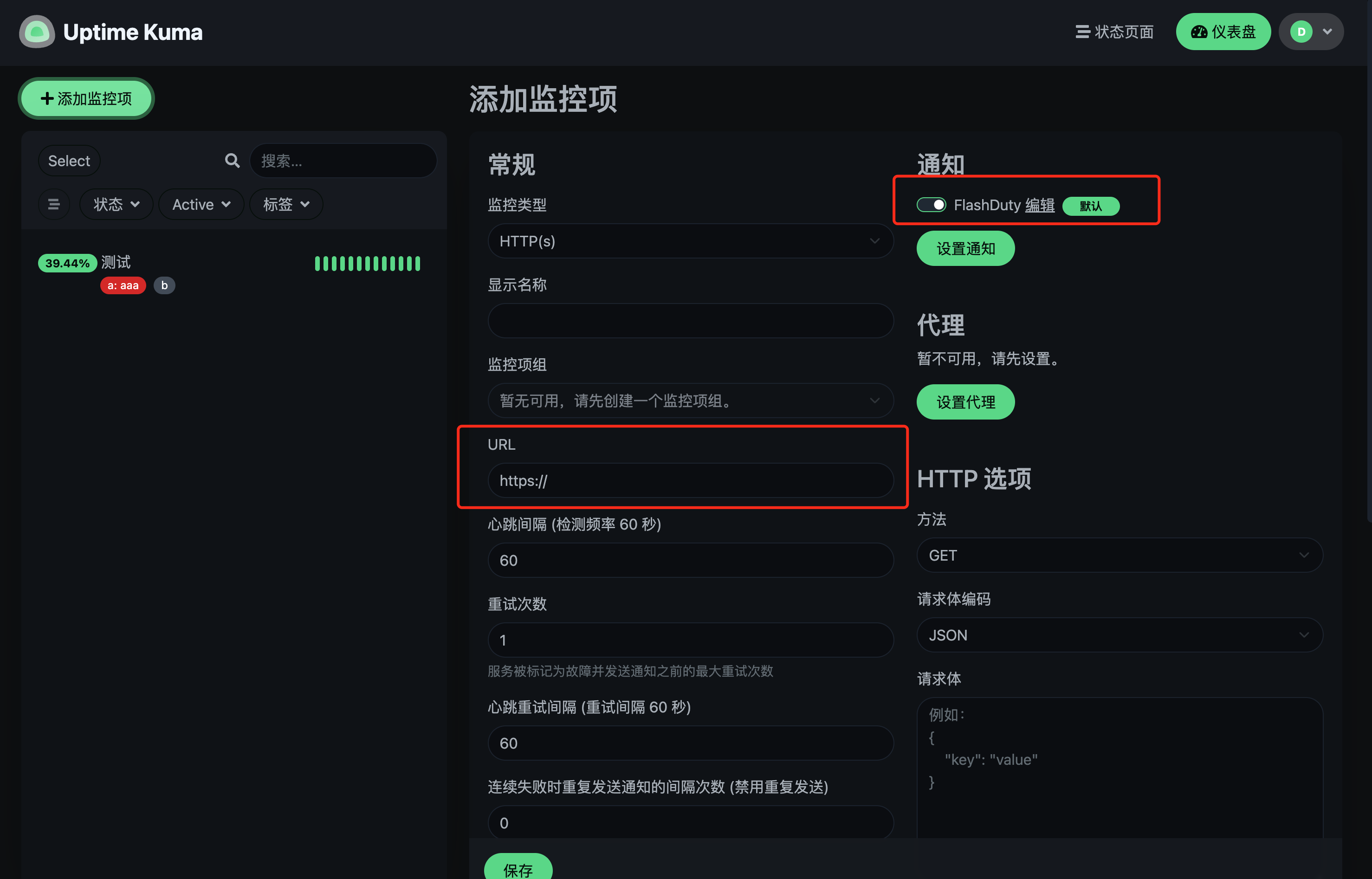
4. Configure Notification Channel
Choose Flashduty and enter the integration URL. Before saving, click the test button to verify that the integration works.
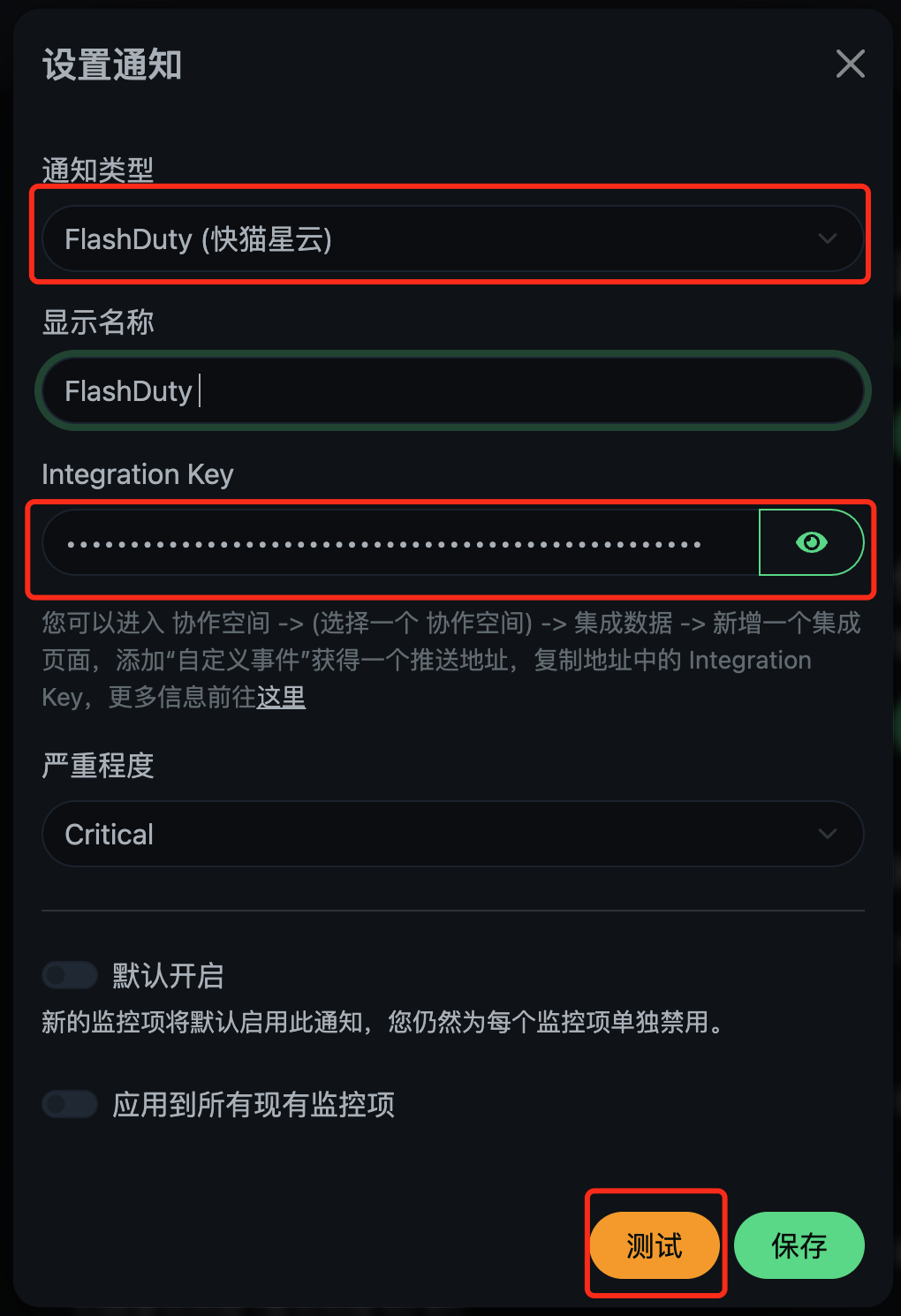
5. View the Test Result in Flashduty
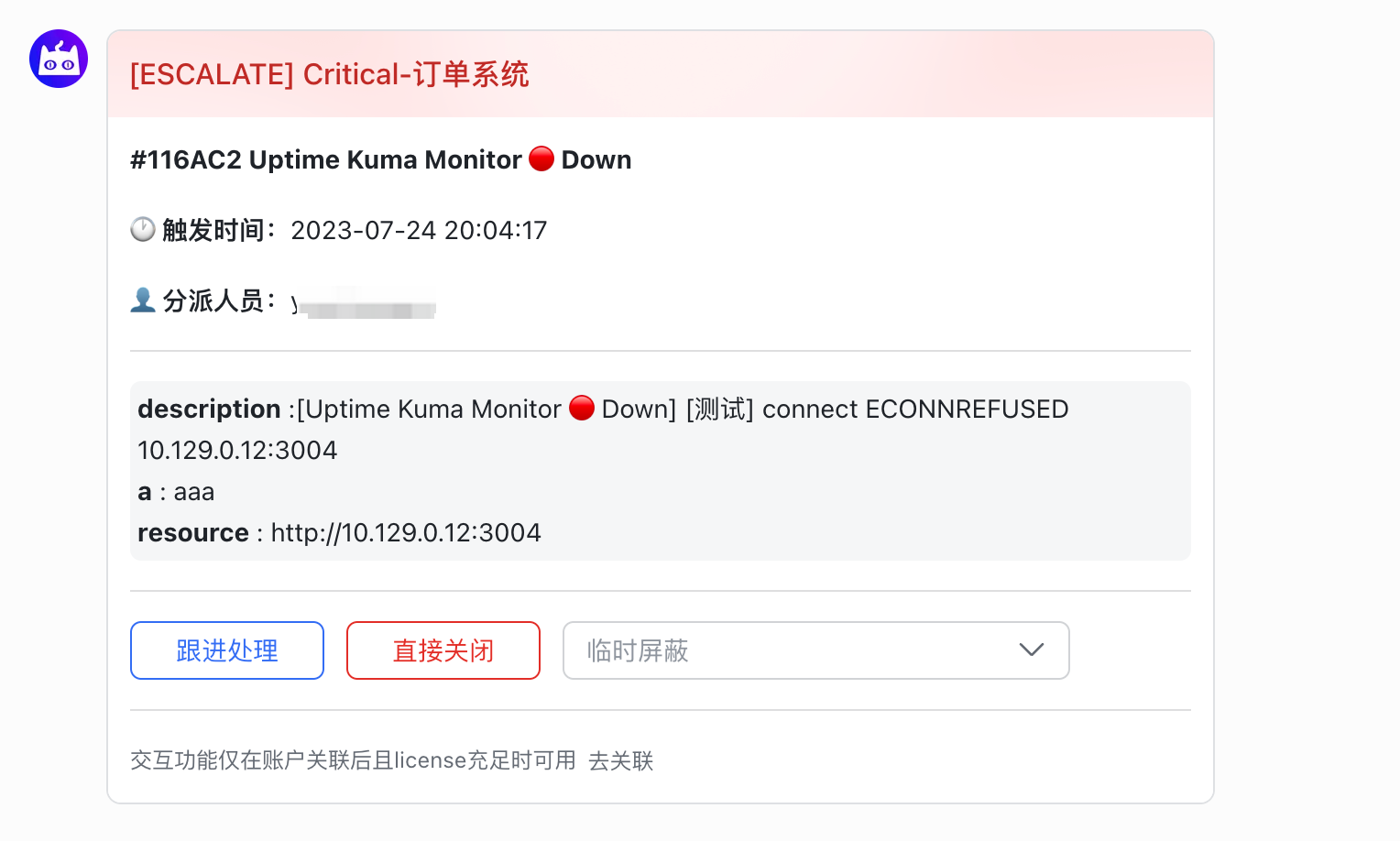
If Flashduty shows an alert state like the following, the notification succeeded:
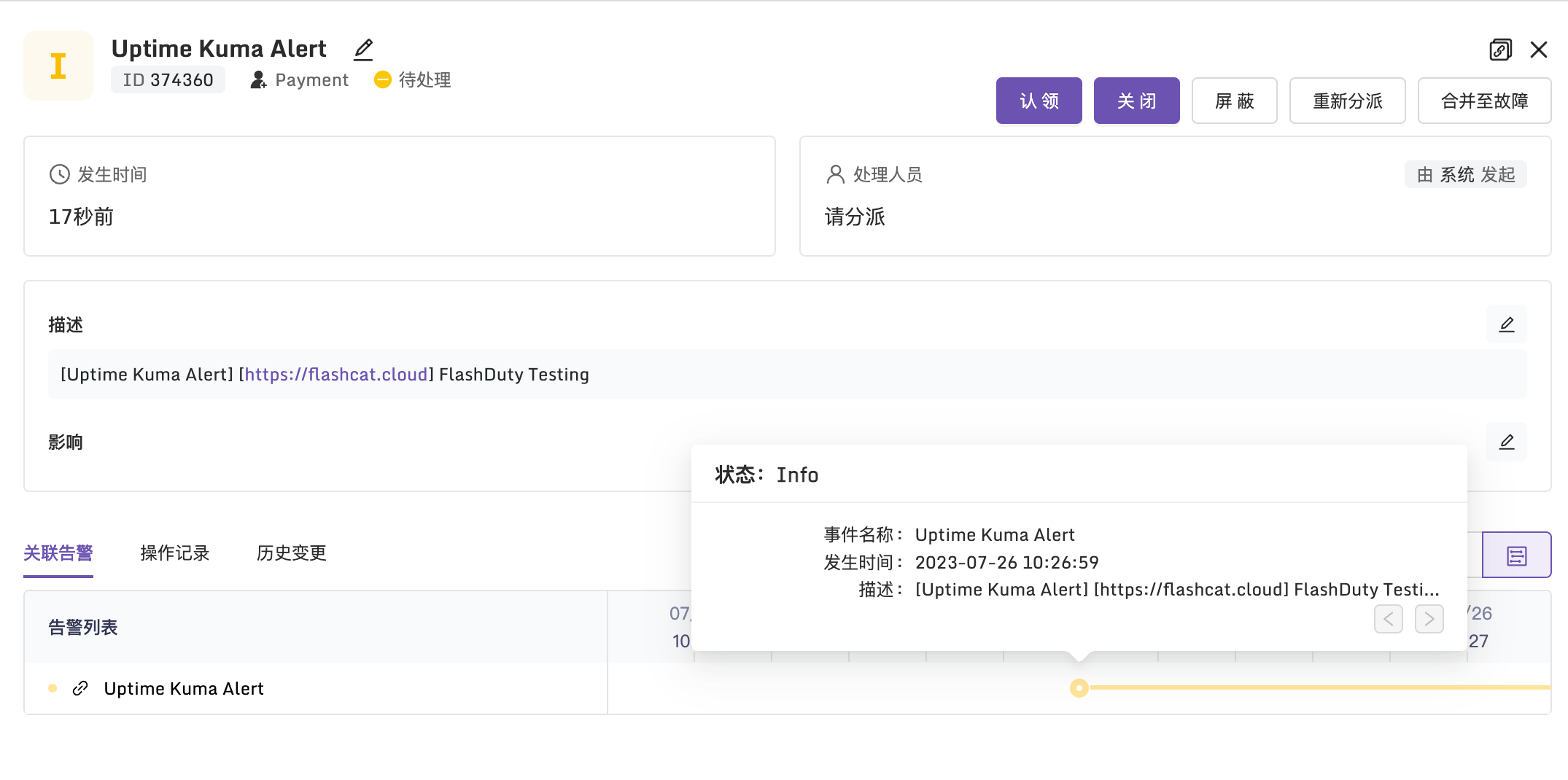
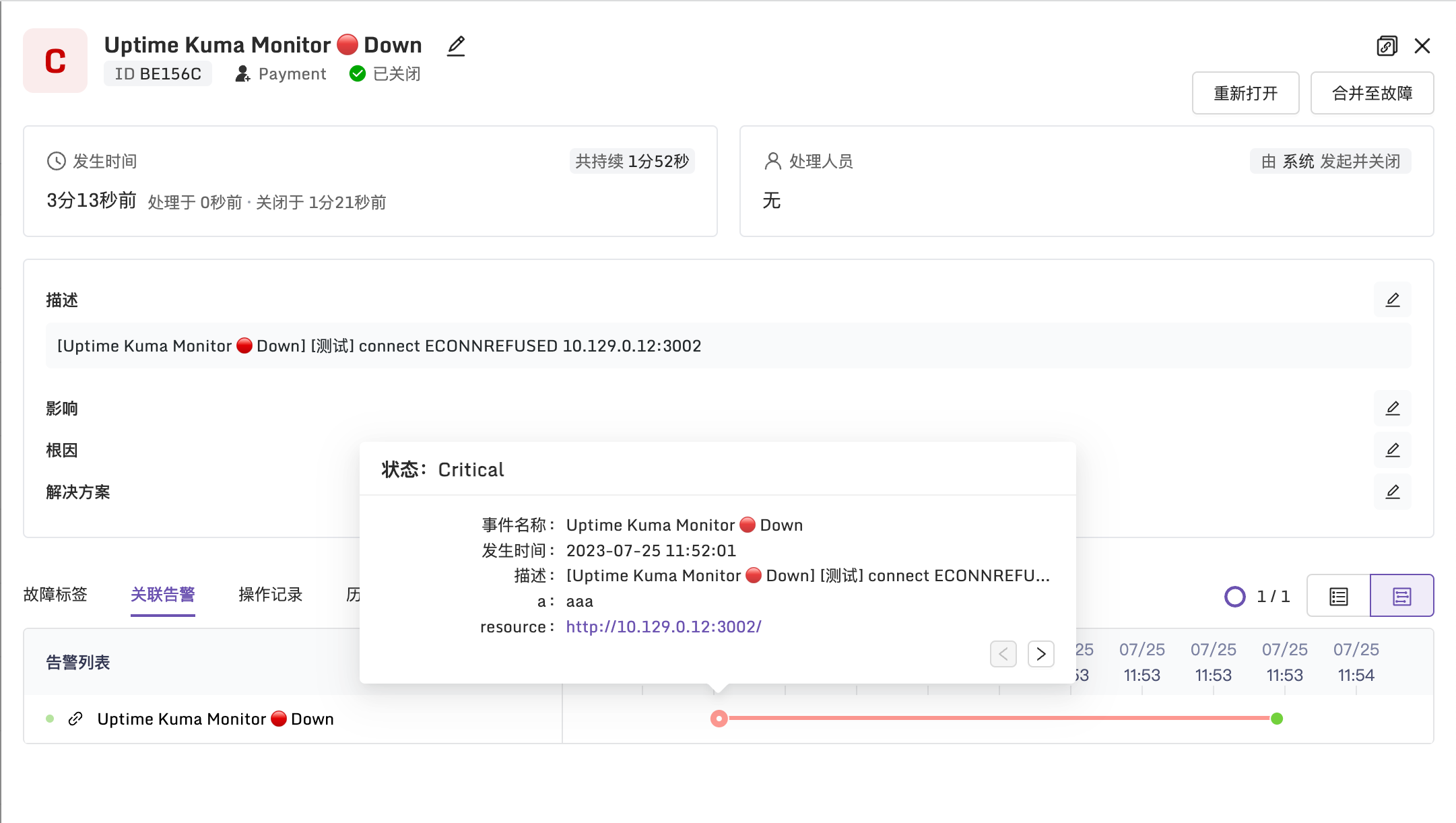
After messages are pushed to Flashduty, you can use Flashduty's incident noise reduction, IM app notifications, and related response features.
6. Try More Flashduty Features
If you also use Uptime Kuma, try Flashduty for a better alerting experience. A 14-day free trial is available.