

Many users have reported that Flashduty's incident permission control was relatively weak. We have now made improvements to address this.
Improvement
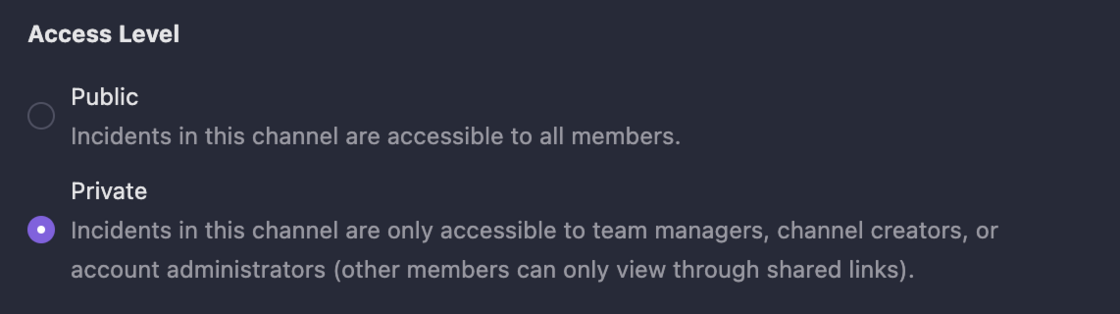
- Collaboration spaces now support access levels. When set to private, incident data is only accessible to team members and account administrators. Other members can only view incidents in private spaces through shared links.
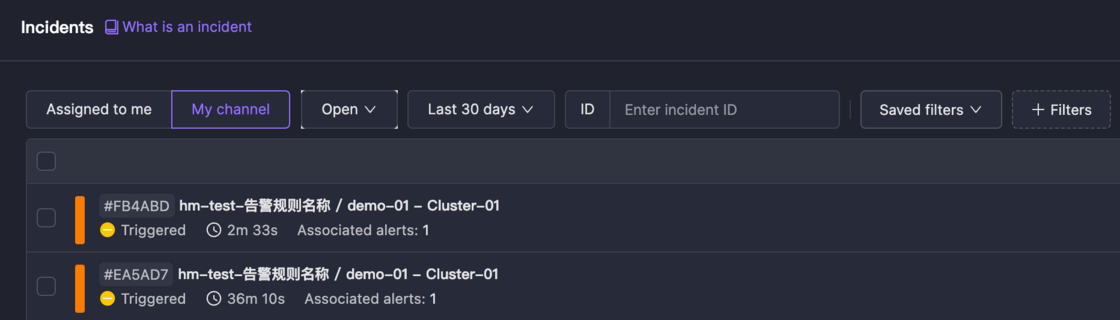
- The incident list now supports My Channels filtering. When selected, it only shows incidents from your spaces.
Best Practices for Data Isolation
We believe platform data isolation has three levels, in descending order of strictness. Each level has recommended implementation methods:
-
Personnel Isolation: For teams requiring separate personnel and encrypted information.
Register multiple entities, with complete isolation of personnel and resources, managed separately.
-
Resource Isolation: When you don't want other members to see or handle your incidents.
Set channel access level to private, preventing other members from seeing this channel and its incidents. Note that account administrators still have access.
-
Visual Experience: When you don't want to see alerts unrelated to you or your team.
Keep the My Channels filter selected in the incident list. When you need to view all data, simply remove this filter.
We look forward to your feedback!