
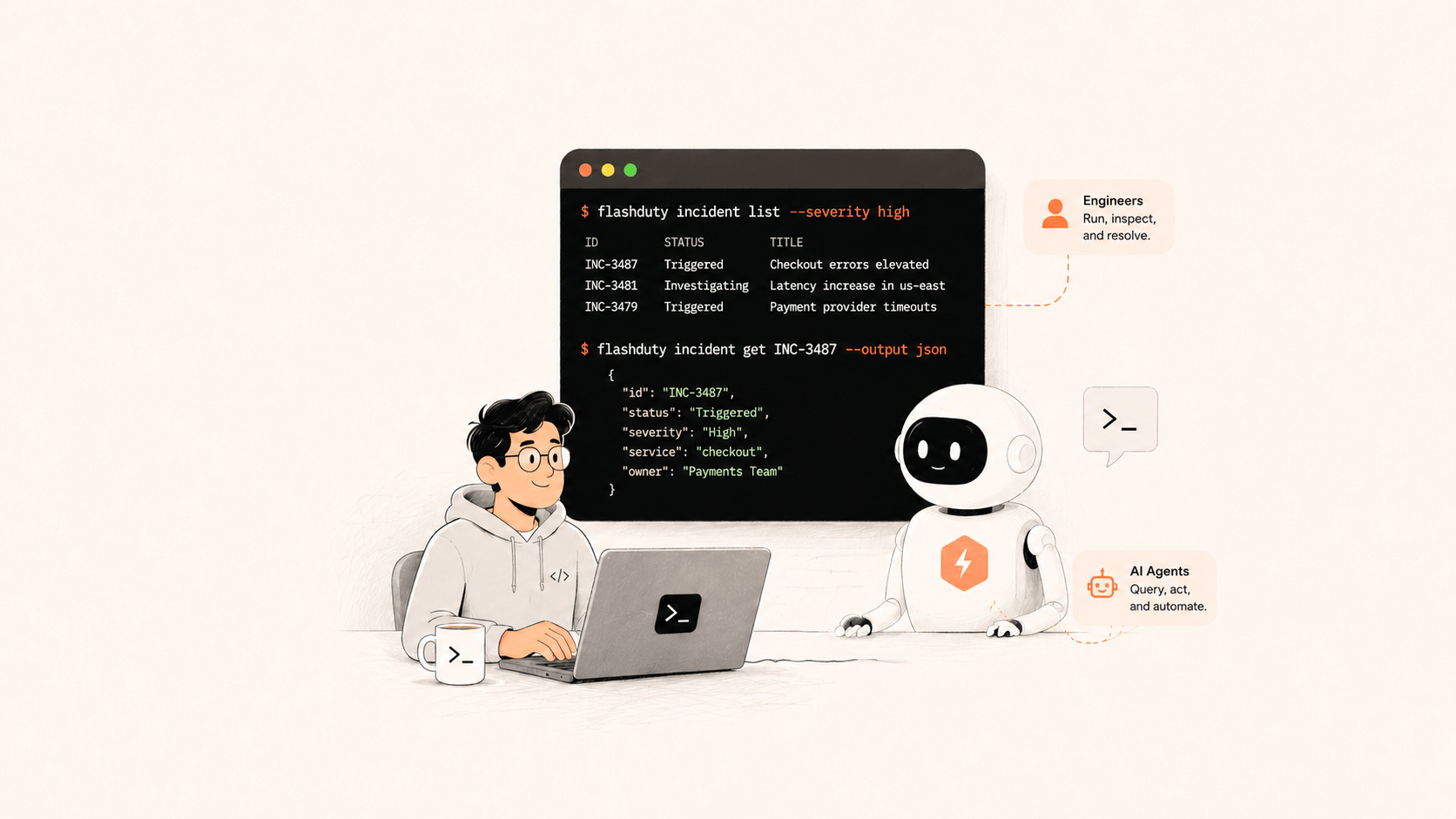
flashduty-cli is the Flashduty command-line interface (CLI). When you're on call, you can acknowledge an incident, read its timeline, and find similar past incidents without leaving the terminal. It also ships agent skills. After you install the skills, coding agents like Claude Code and Cursor can operate Flashduty too, and they follow safety rules. For example, an agent asks for your confirmation before it merges or closes an incident.
Here's why we built it, and a few design tradeoffs we made.
Why build a CLI on top of the API
We've watched on-call site reliability engineers (SREs) handle incidents. They stay in the terminal to read logs, run kubectl, and chain grep commands. When an alert fires, switching to a browser, signing in, finding the collaboration space, and locating the incident interrupts their work. Every window switch breaks their focus.
You can write your own scripts against the Open API. But the API returns raw data. To make that data usable in a terminal, your scripts have to handle pagination, parse times, turn JSON into aligned tables, truncate long fields, and support jq. If every team builds this separately, they all repeat the same work. The CLI does it once:
flashduty incident list                  # last 24h by default
flashduty incident get <id>              # a single ID auto-switches to a vertical detail view
flashduty incident timeline <id>         # view the timeline
flashduty incident similar <id>          # pull up similar past incidents
By default you get an aligned table with long fields truncated. Add --json to get full data you can pipe into jq. Time flags accept 24h, 168h, 2026-04-01, or 2026-04-01 10:00:00, so you don't compute Unix timestamps.
We set one boundary for ourselves: the CLI never calls the API directly. Every request goes through the go-flashduty Go SDK, which maps 1:1 to the API. The CLI does three things: parse commands, format output, and add small conveniences, like finding a collaboration space ID by name. When the API changes, we update the SDK, and the CLI only needs a dependency upgrade. There's only one copy of the HTTP code.
Support for coding agents
Many engineers now keep a coding agent open in the same terminal: Claude Code, Cursor, GitHub Copilot, Codex, Gemini CLI, or Windsurf. These agents read code, run commands, and edit files. When an alert fires, engineers ask the agent questions like these: "What's going on with this incident? Who's on call? Does it look like last time?"
By default, an agent doesn't know how to use Flashduty. It might guess at the API, build a curl command by hand, or not know that the platform exists. Worse, it might do something risky, like merge two incidents without asking. You can't undo a merge.
So we wrote instructions for using Flashduty as skills that an agent can install. flashduty-cli ships 10 skills. Install them with one command:
npx skills add flashcatcloud/flashduty-cli -y -gThe installer detects the agents on your machine and installs the skills into each one. It supports 41+ coding agents. After installation, your agent knows which command to use, how to set flags, and which actions need your approval first.
What's in the skills
The skills don't repeat the command list. They record what an experienced on-call engineer knows: how the data is organized and which actions to avoid.
The base skill is flashduty-shared. It starts with Flashduty's three-layer noise reduction. Flashduty deduplicates raw alert events by alert_key into alerts. Grouping rules then merge alerts into incidents. One incident can hold 1 to 5,000 alerts. Once the agent knows this, it queries the right layer when it drills down or rolls up.
The other nine skills each cover one job:
- Incident lifecycle
- Alert investigation
- Change tracking
- On-call queries
- Collaboration spaces and escalation rules
- Status pages
- Mean time to acknowledge and resolve (MTTA/MTTR) analytics
- Team member audits
- Notification template checks
Each skill shows the agent only the commands for its job, so the agent doesn't read every command at once.
The base skill also hard-codes a few safety rules:
- Get explicit user confirmation before you create or close an incident.
- Don't merge incidents or alerts. Merges can't be undone.
- Before any change, list what it will affect.
- When unsure, query before you act, and prefer read-only commands.
An agent is most dangerous when it confidently takes an action it can't undo. So we tell the agent to ask when it isn't sure.
Tokens are a cost
For an agent, longer output costs more and uses more context.
So besides tables and JSON, the CLI supports a third format: TOON (Token-Oriented Object Notation). Like JSON, it's complete, untruncated, and machine-readable. The difference shows up in lists. When every row has the same fields, TOON writes the field names once at the top instead of on every row. The same page of incidents uses fewer tokens.
flashduty incident list --output-format toonPeople care whether output is easy to read. Models care how much information each token carries. When the main user of a tool changes, the optimization target changes too.
Help text must match behavior
We built the CLI on Cobra, with completion for bash, zsh, fish, and PowerShell. A generated completion script doesn't guarantee that completion works. Enum flags must complete their values. Otherwise, a person gets stuck and an agent makes mistakes.
For an agent, --help is the only reliable way to learn an unfamiliar CLI. If a subcommand's help leaves out a flag, or describes behavior that doesn't match, the agent builds a wrong command and fails.
So our rule is: every subcommand, flag, and enum value in help text must match what the tool does. Few people notice this kind of work. But it decides whether an agent gets a command right on the first try or after three rounds of trial and error.
Install
As of v1.3.4, flashduty-cli covers the full Flashduty Open API. Install it with one command:
curl -sSL https://static.flashcat.cloud/flashduty-cli/install.sh | shFor the code and docs, see the flashduty-cli repository.