
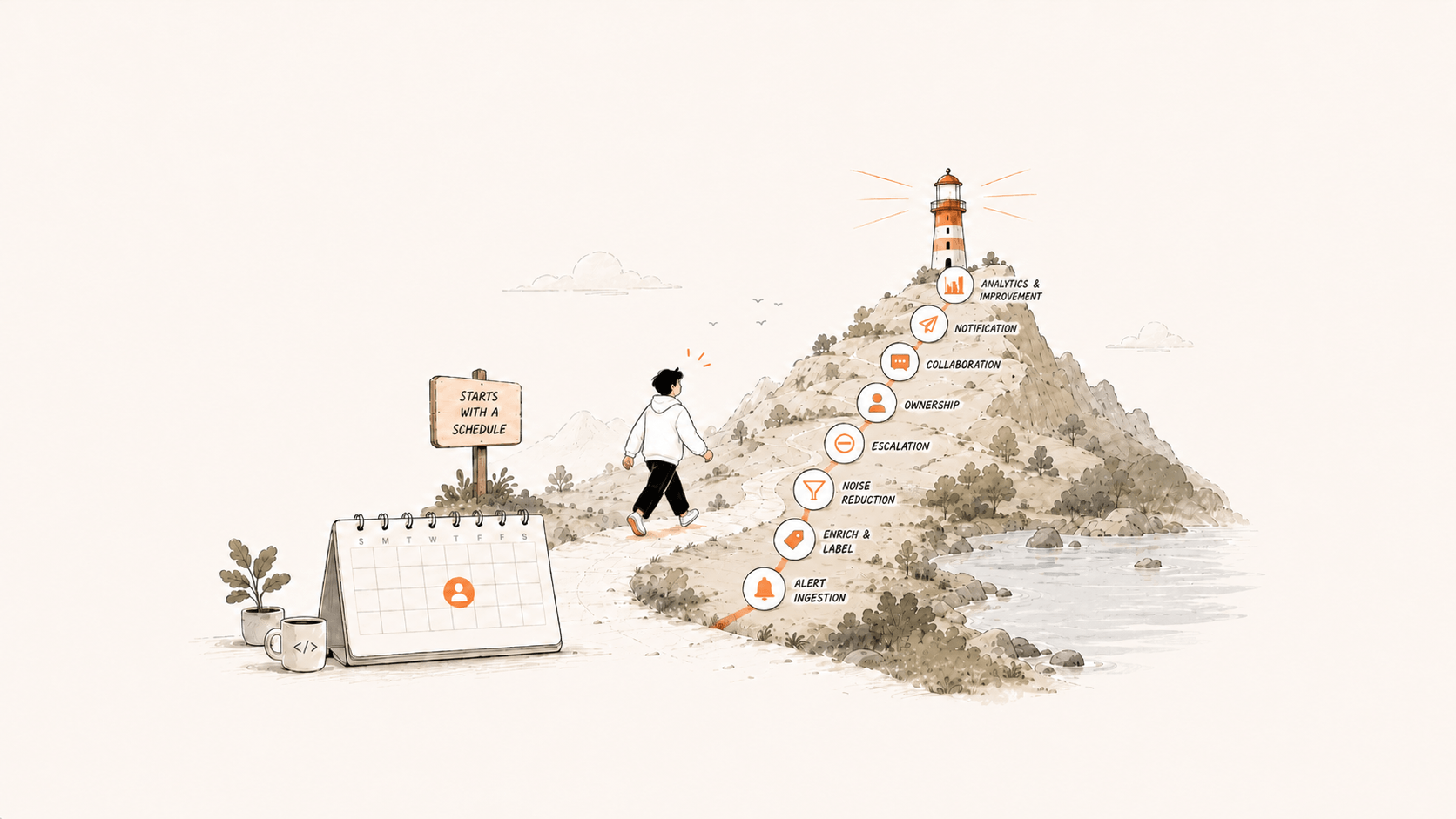
An on-call system manages the whole chain from the moment an alert fires to the end of the review. The first four stages are alert ingestion, label enrichment, grouping, and suppression. The last four are scheduling, acknowledgment and escalation, notification, and analytics. If any stage is sloppy, the whole experience suffers.
This post covers each stage in order: why you need it, how far to take it, and where it goes wrong. The short version is that the cheapest noise reduction happens before an alert fires, by fixing alert rules at the source.
Fix alerts at the source: Wake people only for problems that need action
All eight stages work after an alert fires. The cheapest noise reduction is to fix alert rules at the source. Two principles apply:
- Every alert should be actionable, tied to a specific mitigation step or SOP. An alert that's only a reminder and needs no action is usually redundant. If you're worried about missing something big, have it create a ticket you check regularly, instead of a call or text.
- Alert on outcome metrics, not cause metrics. For an HTTP service, success rate and latency are outcome metrics and deserve the most attention. CPU utilization is a cause metric; put it on a dashboard. If a cause metric looks bad but outcome metrics are fine, the business isn't affected yet, so nobody needs to wake up.
Many teams pile up alerts because the first review question is always "Were the alerts complete?" To avoid blame, engineers add more rules. Over time, useful and useless rules pile up together. New hires can't cope and leave, and the team keeps losing ground.
Alert ingestion: Bring every alert into one place
The first step is to bring alerts scattered across monitoring tools into one platform. Almost every monitoring system supports webhooks. An on-call platform only needs to adapt to each source and provide the matching webhook, which keeps setup cost lowest.
Some less open systems only send email and have no webhook. If the platform can receive those emails, parse the body, and turn it into a structured alert, you have a fallback.
The tradeoff: email parsing is fragile, and a small template change on the sender's side can break it. Use it only as a fallback, not as the first choice. If a webhook is available, skip email.
Label enrichment: Richer fields mean faster response
Many monitoring tools send alerts with only a few fields: host name, metric, and threshold. An engineer woken at 2 AM can't judge impact from those alone.
If the platform connects to external metadata, such as a CMDB, it can fill in fields as the alert arrives. Examples include the business the host belongs to, its environment, and its owner. Enriched labels make dispatch more automated and let engineers judge severity at a glance.
The baseline: enrich the fields that decide whether to wake someone and whom. Labels added only for looks, which nobody reads, just add noise.
Grouping: Compress many alerts into a few incidents
Grouping is one of the most important capabilities of an on-call product. A large outage can fire hundreds of alerts at once. Notifying them one by one floods the engineer's phone and slows the response. Grouping merges similar alerts that fire together into a few incidents and notifies only per incident.
Grouping can be rule-based or based on semantic similarity, and it can span data sources. Alerts from Zabbix and Prometheus can join one incident if they're similar.
Besides large-scale instance alerts, flapping alerts are another classic case. They fire, recover, and fire again. Group them into one incident by a shared label, and notification frequency drops sharply.
Suppression: Use it sparingly
Suppression differs from grouping. Grouping merges similar alerts, while suppression adds a dependency. A higher-severity alert can suppress lower-severity ones, and an infrastructure alert can suppress alerts from the services above it. For example, if a data center loses network, you don't need a separate alert for every service inside it.
The risk: dependencies are costly to maintain and hard to explain. If a suppression rule quietly swallows an alert that should have fired, debugging is painful. So use suppression only where boundaries are clean and dependencies are stable, and don't lean on it at scale. If grouping solves the problem, skip suppression.
Scheduling: Keep the whole team from being interrupted
Scheduling keeps the whole team from being interrupted again and again, while making sure the right person is available at any hour. On-call helps engineers grow, but the work is tedious and often happens at night. Continuous on-call harms health, so it has to rotate.
When you design a schedule, consider five dimensions:
| Dimension | Requirement |
|---|---|
| Fairness | Spread the load evenly so nobody is always on call on weekends or holidays |
| Flexibility | Allow planned and last-minute swaps for leave and time off |
| Rotation period | Rotate hourly, daily, weekly, or monthly, depending on the business rhythm |
| Roles | Usually a primary and a backup; if the primary is overloaded or doesn't respond in time, escalate to the backup |
| Handoff notice | Notify clearly at each shift change, for example N minutes ahead, or with a daily announcement |
Acknowledgment, escalation, and collaboration: Give every alert an owner
Acknowledgment: in principle, someone should acknowledge every alert. Looked at the other way, if nobody acknowledges an alert and nothing bad happens, it shouldn't have been sent. Mean time to acknowledge (MTTA) usually measures acknowledgment speed.
Escalation and reassignment: plan escalation paths for each severity in advance, and responders feel much less pressure. Escalation can be manual or automatic. For example, if an alert is neither handled nor recovered after 30 minutes, escalate it automatically to a manager or backup.
Many teams that provide 24/7 support use a tiered response model:
| Tier | Who's notified | Trigger |
|---|---|---|
| L1 | The front-line responder on shift (by rotation) | As soon as the alert fires |
| L2 | Leads for each area (development, reliability, operations) | L1 doesn't respond in time, or the issue escalates |
| L3 | Incident response representative or business owner | A major incident still isn't contained |
To set this up, create one schedule each for L1, L2, and L3. Then add three stages to the dispatch policy and bind each stage to its schedule. "Notify this person first, then the next if nobody answers" runs on its own, and nobody has to pull people in by hand at night.
Collaboration: you can bring in more people at any point. The key is to notify them promptly and accurately and to keep the full handling history and timeline. People who join later can catch up quickly instead of asking where things stand.
Notification: Delivery decides whether alerts work
An alert has no effect if it doesn't reach the right person, or if that person can't act on it. Teams outside China rely heavily on Slack, which has become the base platform for collaboration. In China, teams mostly use WeCom, Feishu, and DingTalk. All of these support building apps. Being able to acknowledge, close, reassign, and handle alerts right in an IM card is key to a good on-call experience.
For example, an alert fires at night, and the responder can tell at a glance it doesn't need action yet. If they can handle it with a few taps in IM on their phone, they don't have to get up and open a laptop. That detail makes on-call noticeably better.
Analytics: Without data, you can't govern alerts
Once all of a company's alerts are on one platform, the biggest payoff is slicing the data. Compression rate, MTTA, mean time to resolve (MTTR), acknowledgment rate, and alert volume are key on-call efficiency metrics. Break them down by business, team, and person to find weak spots.
A more practical use is governing the alert rules themselves. Rules that fire constantly are usually flawed. They waste phone and SMS costs, frustrate engineers, and don't improve reliability. Fix those rules or delete them.
Good on-call depends half on the product and half on mindset. If front-line engineers are struggling and leadership hasn't noticed, the two sides can't communicate well. Taking on-call seriously can sometimes do more for team morale than a raise.
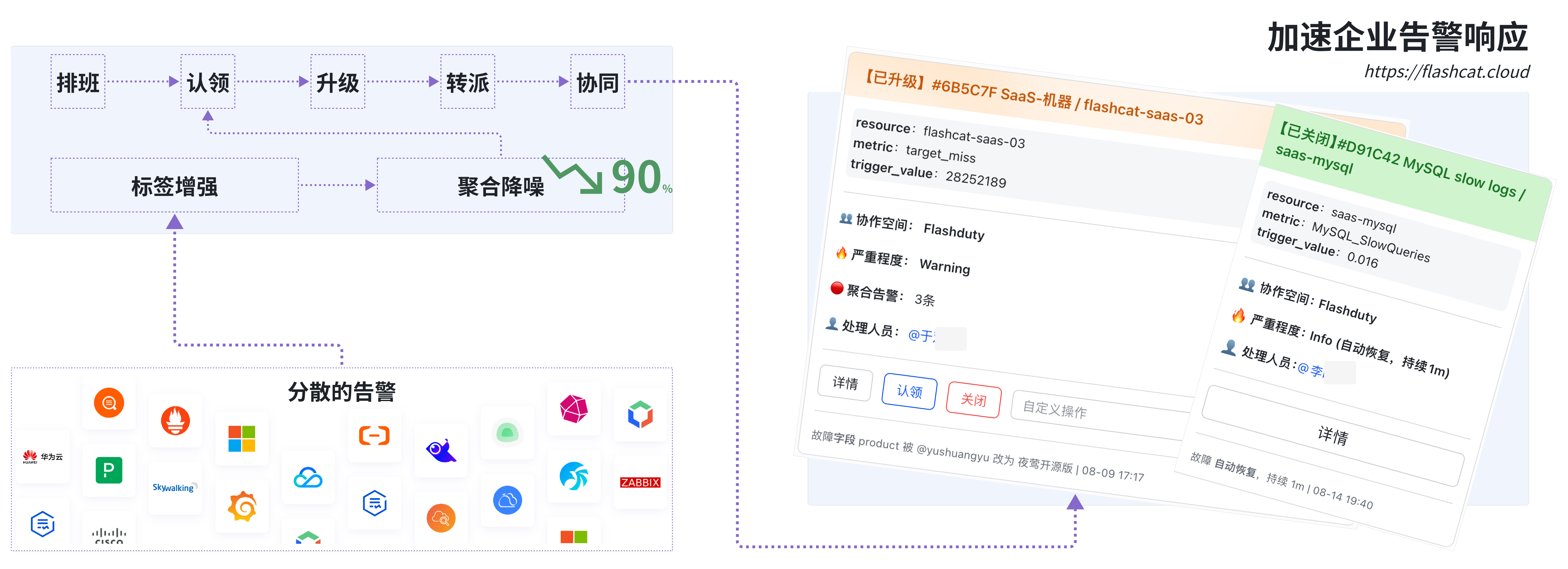
Flashduty turns each of these stages into a product capability. That includes multi-source alert integration, grouping, scheduling and escalation, two-way IM delivery, and analytics dashboards. If you're building or rebuilding an on-call system, you can start with Flashduty On-call.