
Three weeks later, do you remember which session produced that weekly breakdown? When the agent finishes a piece of work, a result that lives only inside one session may as well not exist. Sending it to a colleague means pointing them at your session history, and sending it to a customer means screenshots or an exported PDF that goes stale the moment the content changes.
AI SRE now supports artifacts to fix exactly those two pains. Anything produced in a session — a report, an analysis, a design document — can be published as one.
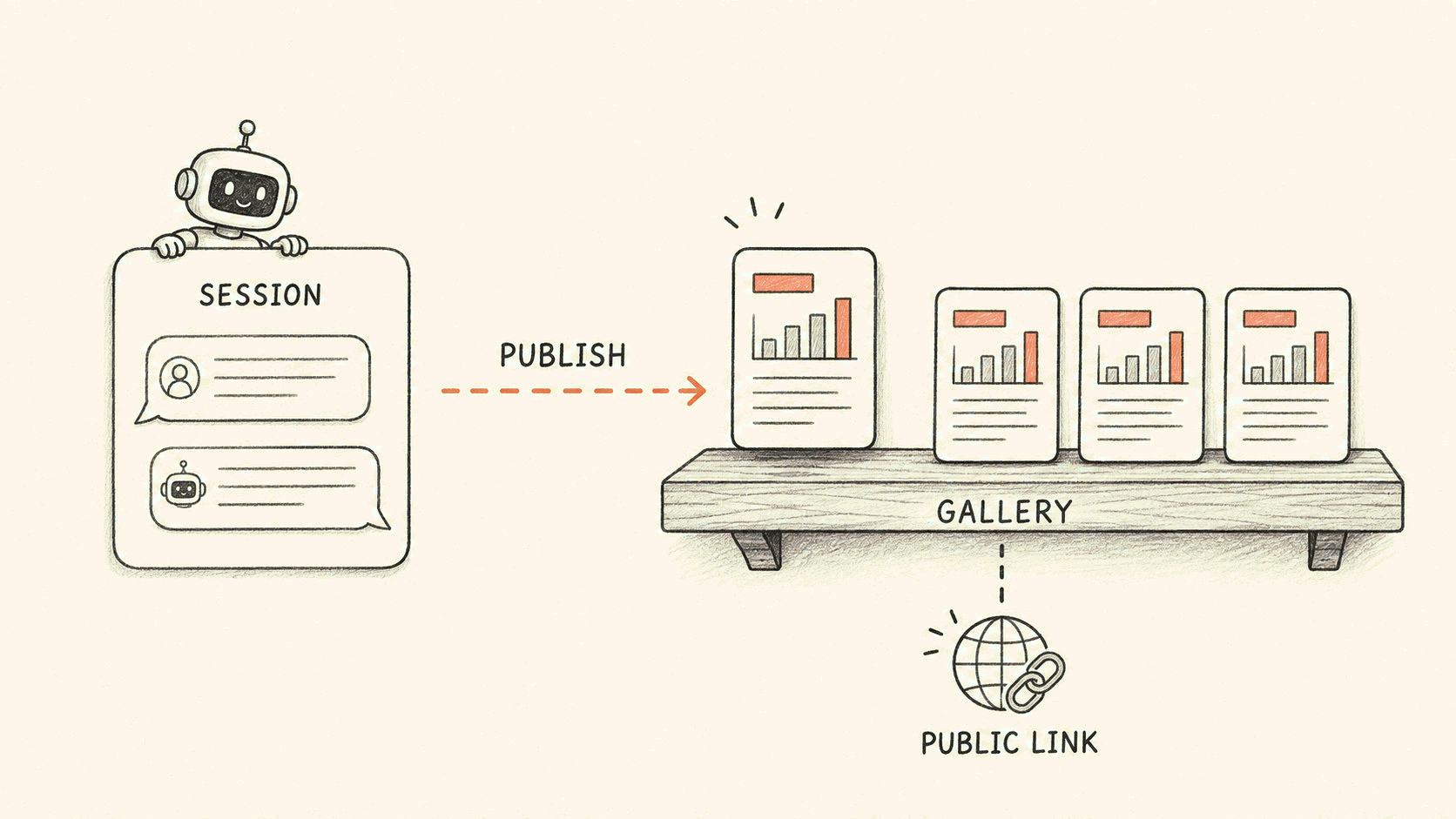
An artifact does two things: it stays, and it goes out. Stays means the work gets its own address and lives in the artifact gallery, where anyone on your team can open it. Goes out means a public link that needs no sign-in, dropped into a chat and opened by anyone.
Before the concepts, open a real one: AI SRE — Deep Dive is an artifact we published. It has its own address, and it opens without sign-in.
What an artifact is
An artifact is a file the agent produced in a session and then published. The most common one is a self-contained web page: an investigation report, a design document, a data analysis, such as the operational insight report you get by typing /insight in a session. Web pages are not the only thing you can publish. Markdown and plain text, data files like CSV, JSON and YAML, images, PDFs, source code in the usual languages, and archives all work.
There is no upload button in the gallery. Artifacts have exactly one origin: the agent builds one during a session and publishes it. Whenever a session shows you a file it produced, a publish action sits right next to it.
It stays
Once published, an artifact lands in the gallery with an address of its own. You can search it by title and filter it by personal or team scope.
Three things are worth calling out on their own:
- Publishing again updates in place, and the address does not change. Fix the report, publish it a second time, and the link you already sent still points at it.
- Delete the session and the artifact survives. Once published it exists independently, so the artifact still opens even after its source session is gone.
- The artifact page tells you where it came from. It shows which session last updated it, and as long as you still have access, one click takes you back to that full conversation to see what the agent looked at and how it reached its conclusion.
Those three add up to one idea. Once published, an artifact no longer depends on the session that made it, and it no longer depends on you remembering how you asked.
It goes out
There are two ways to share, and they mean different things. Decide who the reader is before you pick one.
| Account only | Public link | |
|---|---|---|
| Who can open it | Members signed in to the same account | Anyone with the link, no sign-in required |
| What they see | Always the latest version | A snapshot of the content taken when the link was generated |
| Good for | Colleagues | Customers, outside collaborators, people without an account |
The public link is the part that behaves unlike anything else here. The reader needs no account, no sign-in, and no invitation into your workspace first.
Three things to know on the safety side:
- Private by default. Artifacts are visible only inside your account and never become public on their own. A public link exists only after you click to generate it, and before you do, the panel shows you the content and warns you about the risk.
- Revocable at any time. Revoking a link takes effect immediately.
- Labeled for readers. Anyone opening a public link sees a fixed notice at the top: the content is user-generated and unverified, with a feedback entry next to it that lets anyone report inappropriate content to us.
Two boundaries, stated plainly. A public link is a snapshot, so it does not follow along when the artifact changes; refreshing it is on you, and the link itself stays the same. Separately, artifacts larger than 16 MiB cannot generate a public link, and in that case account-only sharing still works.
Public links require an On-call Pro or higher subscription and open together with the AI SRE public beta (see the artifacts documentation).
How a team uses it
An artifact inherits the scope of the session it came from. Something produced in a personal session belongs to you. Something produced in a session bound to a team belongs to that team.
Everyone on a team can open and manage that team's artifacts. Scope is set the first time you publish, and if you have edit rights you can change it later from the artifact page. Account owners and admins can manage any artifact in the account.
Scope also decides how you find things later. The gallery filters on the same two levels, personal and team, so once you have a lot of teams you can narrow it to the ones you care about.
So once a piece of work exists, nobody has to forward it around. It sits there, and whoever needs it goes and gets it.
What to make with it
Reports are only one kind of scenario. Each example below comes with a prompt you can paste straight into a session, and they share one trait: the agent hands you something you can keep and send, rather than a block of text inside the session.
A design document your team can review. Two kinds come up often: a redesign you just talked through, turned into a design document and sent out for review; or a problem you just finished investigating, written up as an end-state fix plan so whoever picks it up can execute it without finding someone to re-explain it.
Turn the caching redesign we just discussed into a design document: the background, the options we compared, the recommendation and its reasoning, built as a web page and published to the team.
Based on the investigation we just finished, write a fix plan: what the problem is, what the end state should look like, how many steps to get there, and how each step gets verified, built as a web page and published to the team.
Review comments come back, you return to the session and have it revise, then publish again. The address does not change, and the link in your colleague's hands opens the latest version.
A document the team writes together. Postmortems, on-call handbooks, weekly reports all work this way: draft back and forth with the agent in the session, publish to the team when it is ready. There is one artifact at one address, so no more v3_final flying through the group chat in five copies. When someone updates it later, publish again, and the artifact page records which session the update came from.
Investigation timeline. Lay out what an investigation actually looked at, in order.
Turn the investigation we just did into a timeline, noting what was examined at each step and what it established, and build it as a web report and publish it.
One link for people outside. A customer asks for progress, a partner asks for the conclusion. Skip the exported PDF and the email. Generate a public link and drop it in the chat, and they open it without signing in.
Write an update for an outside reader based on the analysis above, leave out internal hostnames and internal system names, build it as a web page and publish it, then generate a public link.
The analyses from the previous post on automations, like operational insight, alert noise cleanup, and post-deploy checks, can all be published as artifacts too. The New artifact button in the product takes a different route: it drops you into a session with a draft prompt already filled in, so the agent asks about the audience, the content, and the style before it starts building.
Getting started
In the console, go to AI SRE → Artifacts in the left navigation. Three questions come up often enough to answer here.
Who can see my artifacts? Only members of your account by default, and within the scope the artifact carries. Nothing becomes public unless you make it public.
I changed the content. Does the link change? Account links always point at the latest version. A public link is a snapshot and waits for you to update it, and the address stays the same when you do.
If I delete the session, does the artifact survive? Yes.
Artifacts close the last gap in the chain. We have written before about how AI SRE operates Flashduty, how it starts working without being asked, and how it gets from a real user error to a fix. Artifacts handle what comes after the work is done: where the result stays, and how it goes out. Retention plus sharing, and only then is the agent's work actually delivered.